
Store
Products
Your catalogue: items, packages, media and pricing.
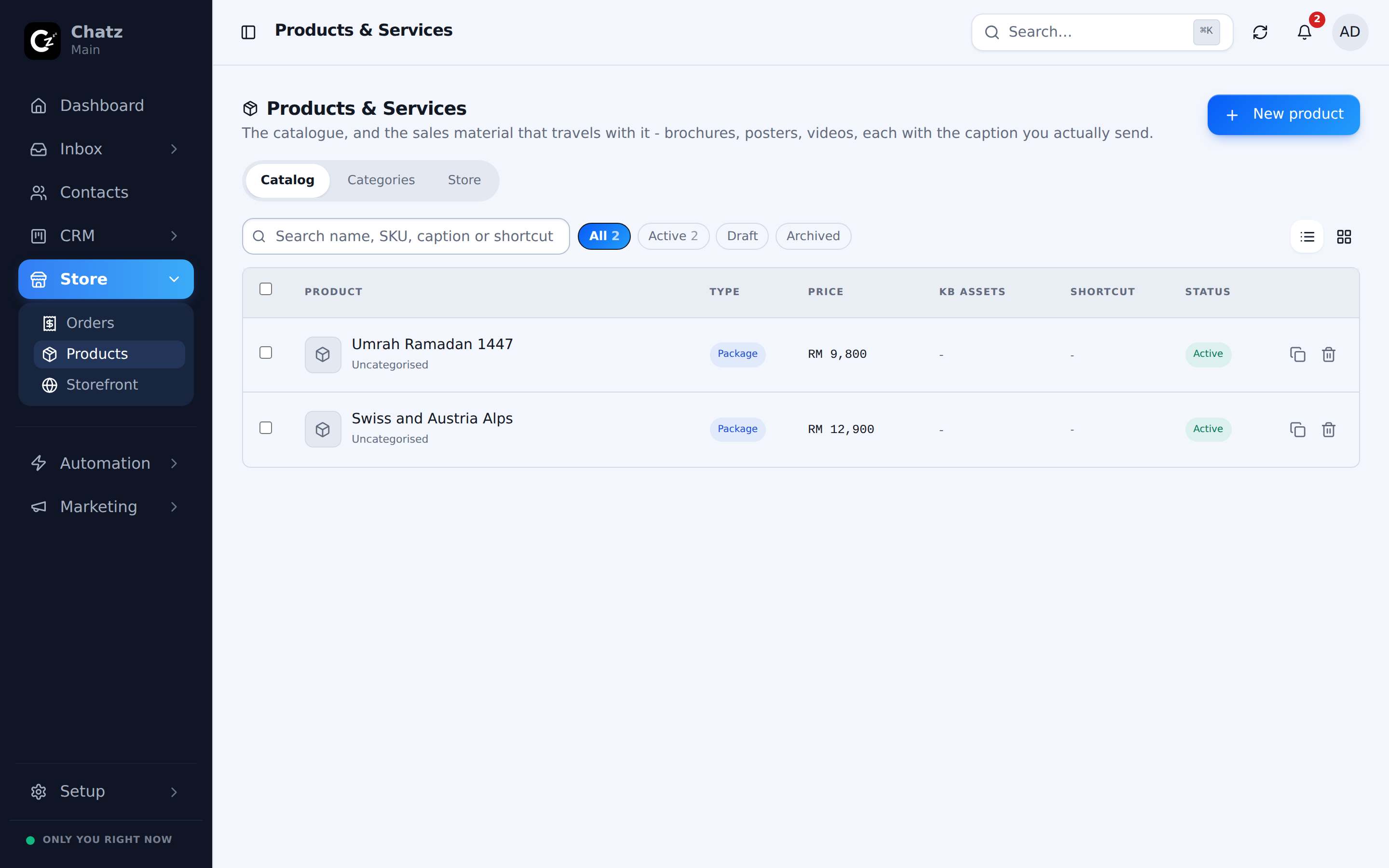
Catalog and categories
Everything you sell, physical items, services or packages, lives in Products. It opens on three tabs: Catalog for the full list, Categories for grouping products, and Store for how the catalogue appears on your public storefront.
The product editor
Opening a product, or creating one, puts you in an editor with four tabs.
Details
Name, type, SKU, category, tags, price and status live here, alongside an AI-generated description you can accept or edit.
Media
Brochures, posters and videos, each with its own caption, plus any knowledge attachments that give an AI chatbot more to draw on when it talks about this product. See Knowledge base.
Store
Per-product visibility, controlling whether this item shows on your public storefront.
Groups
Bundles and variants, for products that come in more than one option.
Price mode: fixed or quote
Every product's Details tab sets a price mode, and the two behave differently at checkout.
| Mode | How it behaves |
|---|---|
| Fixed | A set price a buyer sees and pays, the usual mode for items with a stable price. |
| Quote | No price shown up front; the buyer requests a quote instead, useful for anything priced case by case, such as a custom travel package. |
Packages and departures
A package is a product type built for travel: it carries departures, sometimes called batches, each with its own date and its own seats. A tour operator lists one package but sells it across many departures, and a buyer picks the departure that suits them rather than a single fixed date on the product itself.
Renaming Products and Orders
The labels Products and Orders can be renamed per workspace, for example to Packages and Bookings for a travel agency, so the sidebar reads in the language your team already uses. Change this under Settings; only the labels change, nothing about how products or orders themselves work.
- Renaming is workspace-wide, everyone on your team sees the new labels.
- Store, the third label in the same group, can be renamed alongside the other two.