
Inbox
Inbox overview
Conversations from every channel in one list, with filters and saved views.
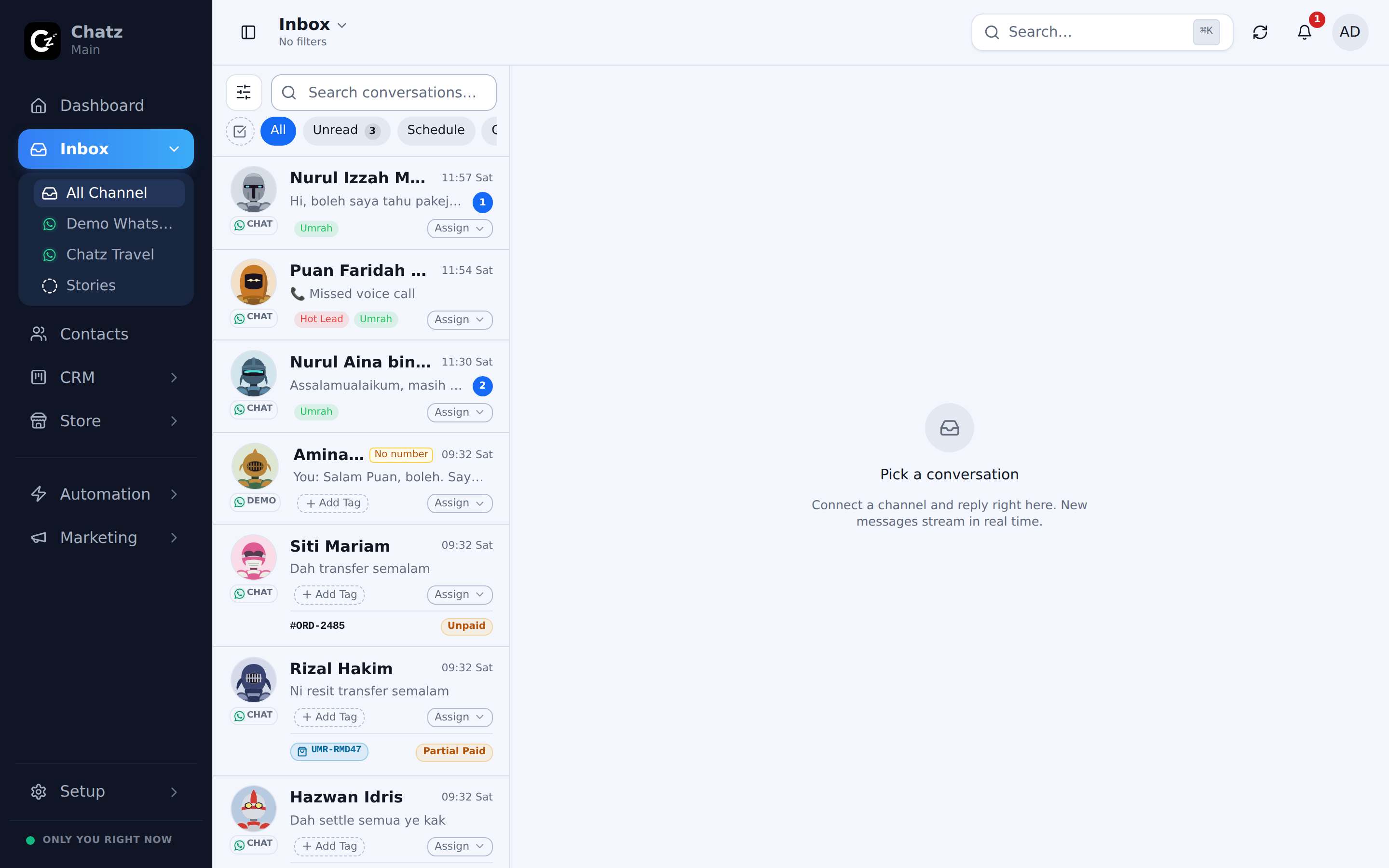
The list and the pane
The inbox is two panels: a conversation list on one side and the open chat on the other. The split is resizable on desktop, and on a phone the list and the chat become two full screens you move between. Whichever channel a conversation came in on, it shows up here with the same composer, the same attachments and the same history.
Filters and saved inboxes
A filter rail along the side of the list narrows what you see, with tabs for Filters, Channels, Assignee, Tags and Pinned. The Filters tab covers the everyday cuts: Unread, Schedule, Assigned to me, Unassigned, Has overdue invoice, Individuals, Groups, Closed and Archived. Internal notes have their own filter too: All Notes, Mention Me or Unresolved.
Once you have combined filters into a view you use often, such as unread messages assigned to you on one channel, save it as a Saved Inbox. It joins the list behind the inbox title at the top of the page, so you jump straight to that exact view next time instead of rebuilding it. That same list is where you rename one, delete it, or pick the view your inbox opens on, under Manage saved inbox.
Per-channel inboxes
Below All Channel in the sidebar, every connected channel gets its own row: one WhatsApp number, one Instagram account, and so on. Open one of those instead of All Channel when you only want to work through that channel's conversations, for example while checking a number's health during warmup.
Bulk actions and closing
Select more than one conversation in the list and a bulk toolbar appears for tagging, assigning, closing or archiving them together. Closing marks a conversation as resolved without deleting it; archiving tucks it out of the default list. Both stay searchable, and an archived conversation reappears automatically when the customer writes again.
| Action | What it does |
|---|---|
| Close | Marks the conversation resolved, keeps it in the list. |
| Archive | Hides it from the default list; a new message from the customer brings it back. |
| Tag | Applies one or more tags for filtering and reporting later. |
| Assign | Hands the conversation to a teammate, individually or in bulk. |