
Getting started
What is Chatz?
One inbox for WhatsApp, Instagram, Messenger, email and voice.
What Chatz does
Chatz brings every customer conversation into one inbox: WhatsApp, Instagram, Facebook Messenger and email. On top of that inbox sit the tools a growing team needs to sell and support at scale: automation flows, an AI chatbot trained on your own knowledge, broadcasts, a CRM board, appointments, a product catalogue with orders and invoicing, and safety guardrails that protect your WhatsApp numbers.
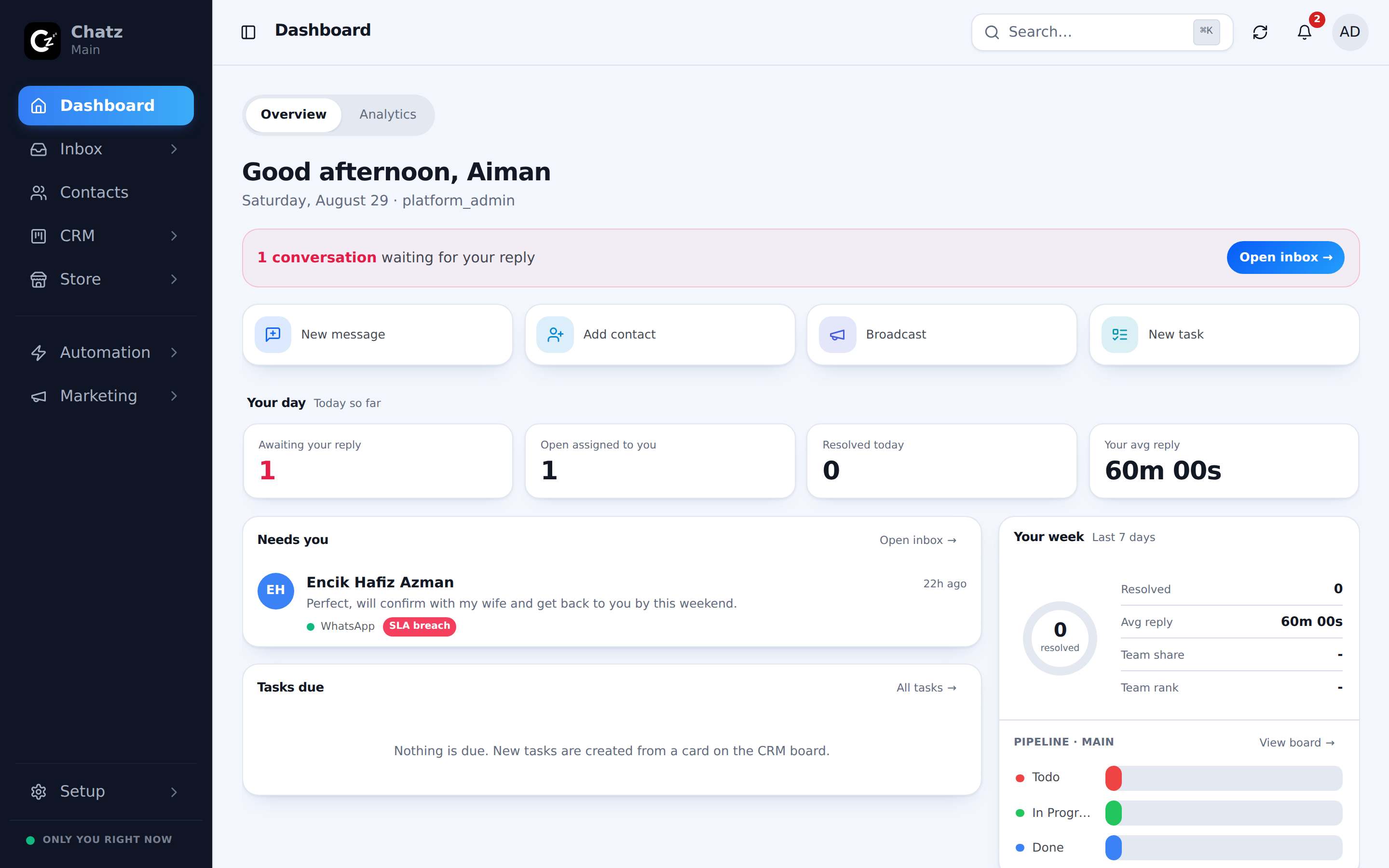
Chatz runs in the browser on desktop and installs as an app on your phone, so the same inbox follows your team everywhere. Every screenshot in these docs can be switched between the desktop and mobile layout with the toggle in its corner.
The modules
| Module | What it is for |
|---|---|
| Inbox | Read and answer every conversation from every channel in one place. |
| Contacts and CRM | Your customer list, custom fields, tags, a deal board and appointments. |
| Channels | Connect WhatsApp Business API, Instagram, Messenger, Google reviews and email. |
| Automation | Message flows, keyword replies, comment-to-DM and quick replies. |
| AI | A chatbot that answers with your knowledge, plus AI reply drafts for agents. |
| Marketing | Broadcasts, drip campaigns, email marketing, Ads Manager and lead tools. |
| Store | Products, a public storefront, orders, invoices and online payments. |
| Sending and safety | Scheduled messages, failed-message recovery and WhatsApp health. |
| Workspace | Members and roles, integrations, billing, API access. |
Where to start
Three steps take you from an empty account to a working inbox:
- Register your account and confirm your email.
- Connect WhatsApp: connect your business number through the official WhatsApp Business API.
- Invite your team and pick a role for each member.