
Marketing
Email marketing
Email campaigns with credits, unsubscribes and tracking built in.
Campaigns
Email campaigns let you reach contacts you have an email address for, alongside your WhatsApp channels. Build the campaign, choose who receives it and send it, much like setting up a broadcast, but delivered to an inbox instead of a chat.
The sending setup that campaigns go out through (things like the sender domain) is configured at the platform level by your operator, so as a workspace owner you focus on the content and the audience, not the mail server.
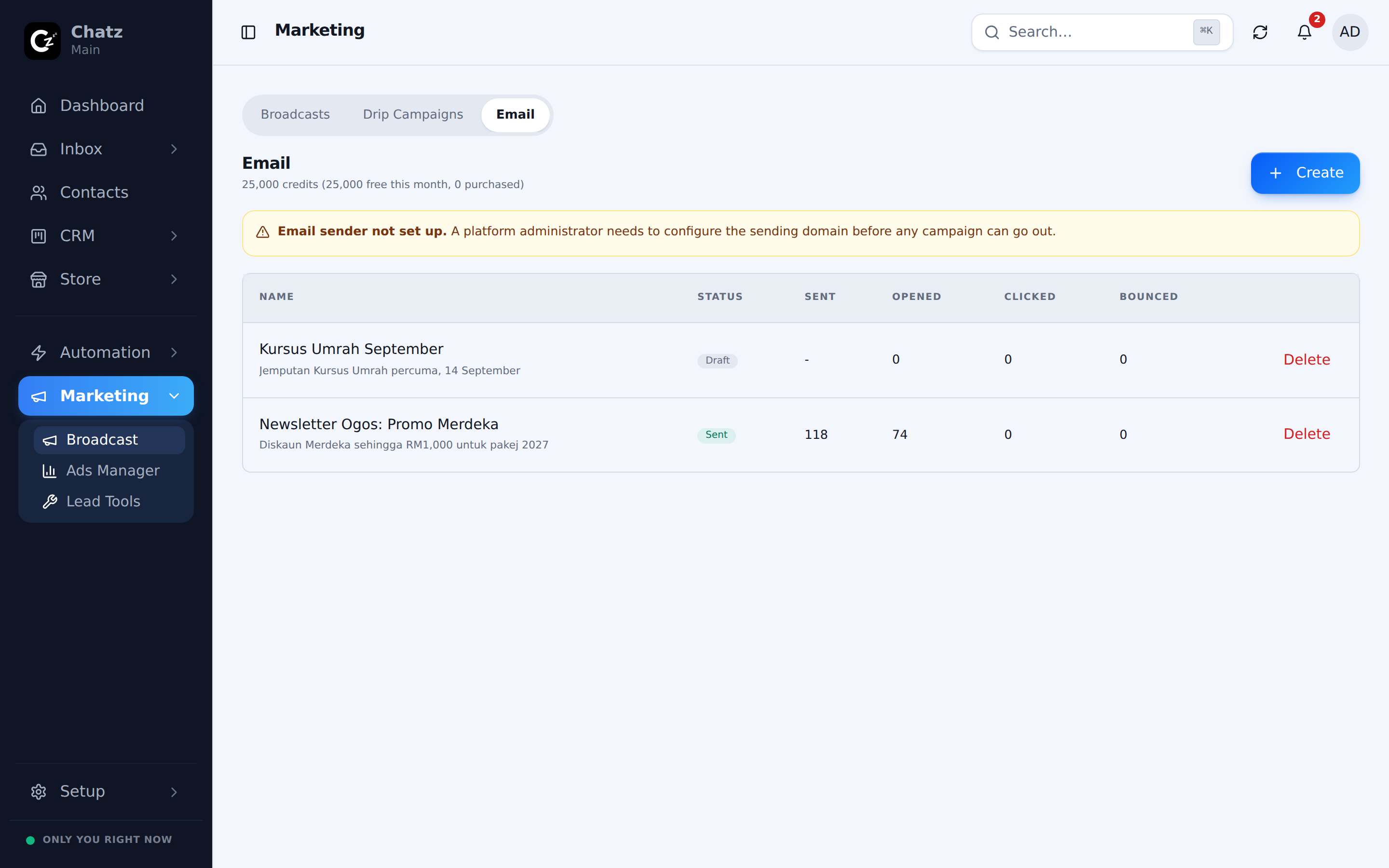
Email credits
Every plan includes a monthly allowance of email credits, and each email a campaign sends uses one. Your usage is tracked as a meter under Settings then Billing, alongside your AI credit usage. Running low pauses new campaign launches rather than cutting off your inbox, so ordinary conversations are never affected. See Billing and plans for how credits work across the plan.
Unsubscribe handling
Every campaign email carries a way to unsubscribe, and Chatz honours it automatically: once a recipient opts out, they are excluded from future campaigns without you needing to track it by hand.
- Unsubscribing only affects marketing email, not the conversations in your inbox.
- Keeping the unsubscribe link intact protects your sender reputation, so future campaigns keep landing in the inbox instead of spam.