
Marketing
Web chat widget
A chat button for your website that opens WhatsApp.
Appearance
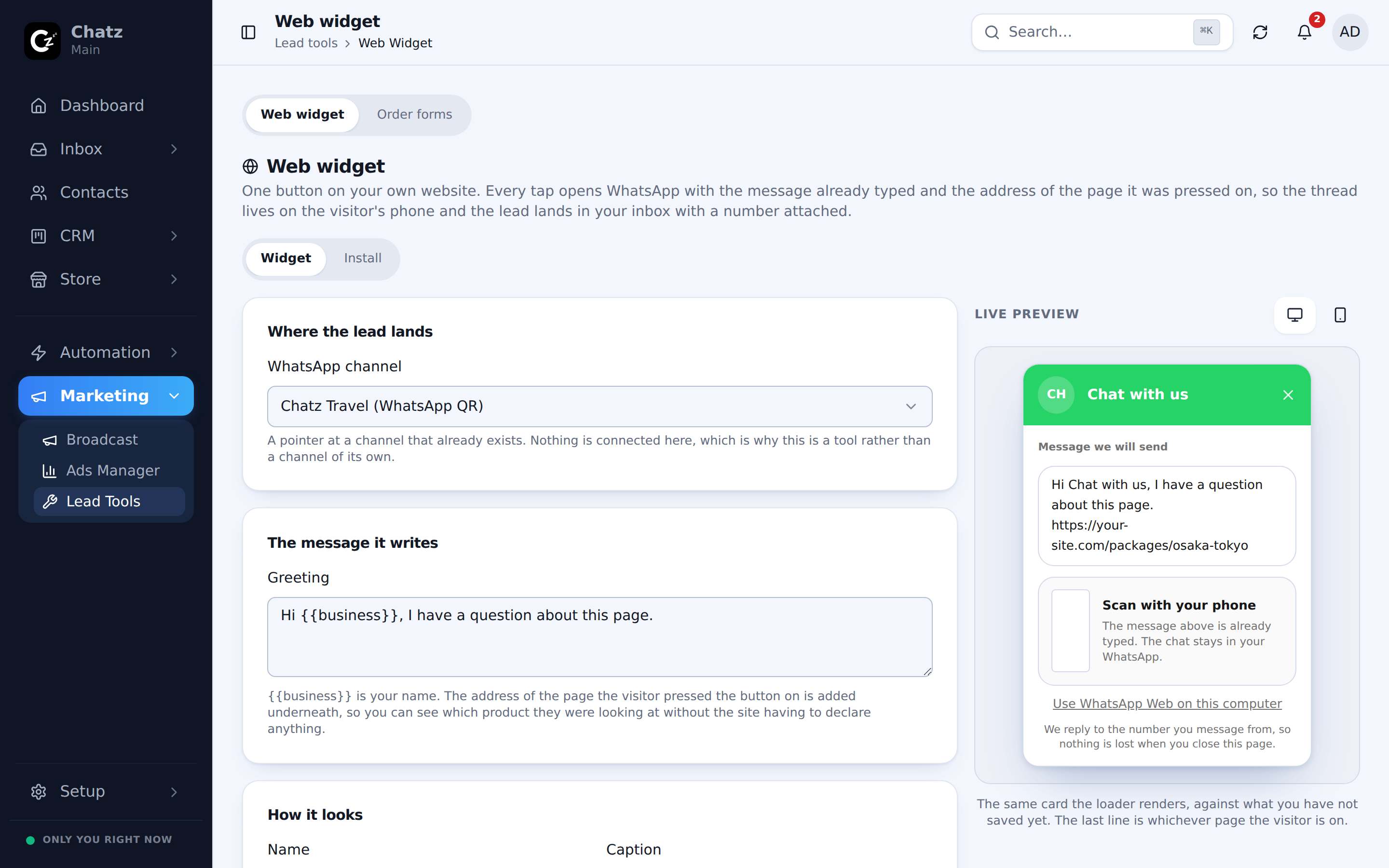
The web widget is a chat button that sits on your own website, and opens WhatsApp when a visitor presses it, so a browsing customer can start a conversation without leaving to find your number first. Find it under Marketing then Lead Tools.
Set the widget's appearance to match your site: the greeting text and the color and position of the button. Changes here update the widget wherever it is installed, without touching the snippet on your site.
Office hours
Set office hours so the widget can show a different message outside them, letting a visitor know when to expect a reply instead of leaving them guessing after they message you late at night.
Install the snippet
Once the widget looks the way you want, install it by copying a short embed snippet onto your website.
- Copy the install snippetFrom the bottom of the web widget page.
- Paste it into your siteAdd it to your site's template so it loads on every page, for example just before the closing body tag.
- Publish and checkReload your live site and confirm the chat button appears and opens WhatsApp.
- No developer account or app review is needed, the snippet is a small script tag.
- Every conversation the widget starts arrives in your normal inbox, tagged like any other WhatsApp conversation.