
Marketing
Ads Manager
See what your Meta ads spend brings back in leads and sales.
Spend and leads
Ads Manager under Marketing connects your Facebook and Instagram ad spend to what actually happens in Chatz: the leads that click through and start messaging you. The Ads Spend & Leads tab opens on a scoreboard: each row is a package, its paired Meta campaigns beside it, with spend, leads, cost per lead, Won and Lost.
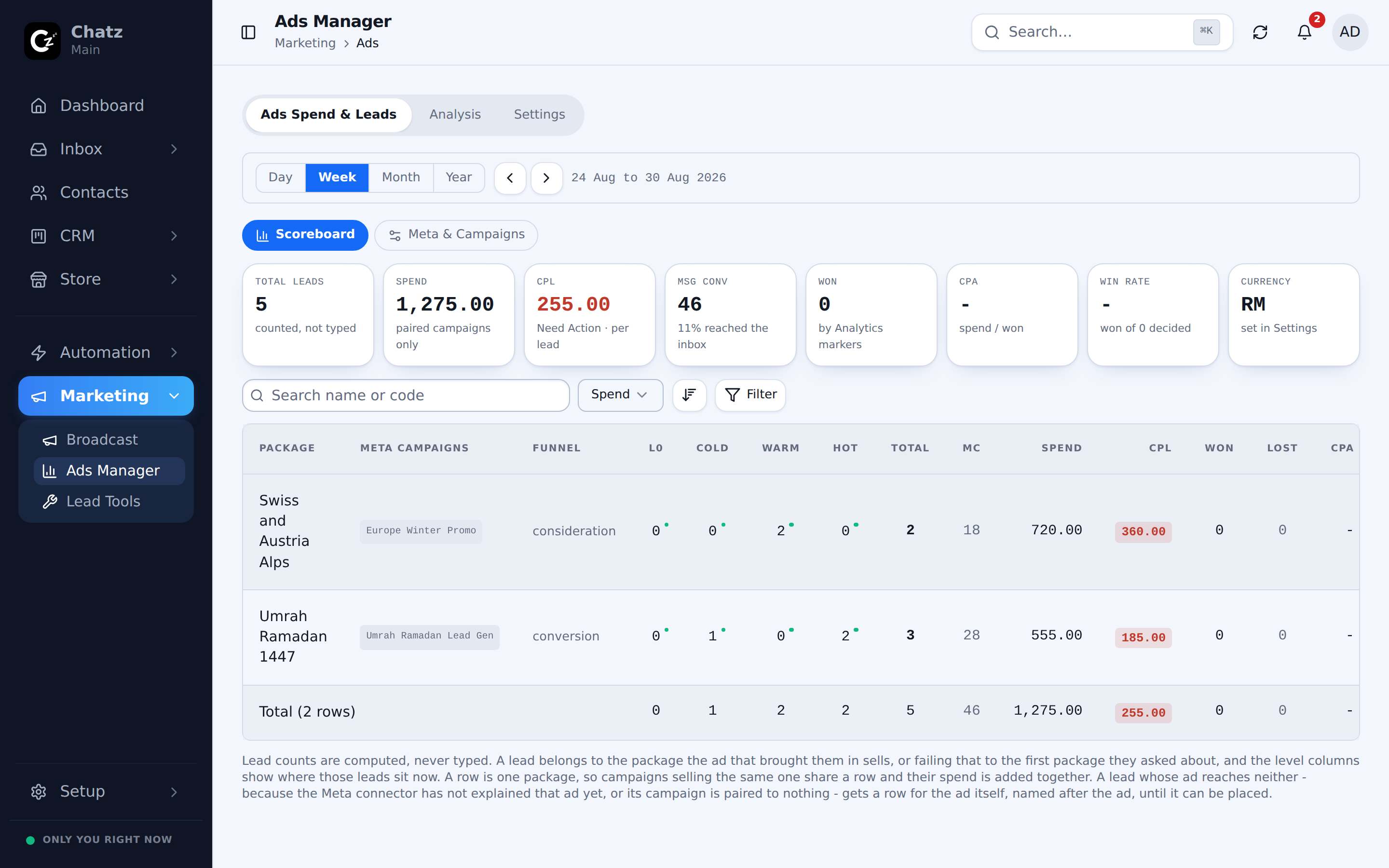
The level columns come from your own tags: give one tag group the Prospect Level role (typically tags like cold, warm and hot) and the scoreboard shows where every campaign's leads sit right now, so a campaign filling the hot column reads very differently from one filling cold at the same cost per lead.
Analysis
The Analysis tab digs deeper into the same data, so you can see which campaigns are actually bringing in conversations rather than just clicks, and compare that against what each one cost.
Connect your Meta account
Ads Manager needs your own Meta Ads account connected before it can show anything. Connect it under the Settings tab of Ads Manager.
- Open Ads Manager, then SettingsUnder Marketing in the sidebar.
- Connect your Meta Ads accountSign in with Facebook and grant access to the ad account you want tracked.
- Give it a moment to syncSpend and campaign data appears once Chatz has pulled it in.
Ad click attribution in flows
Chatz tracks which specific ad a lead clicked before they opened WhatsApp and messaged you, so an Ad click trigger is available when you build an automation flow. That lets you greet someone differently depending on which ad brought them in, for example jumping straight to the product or promotion the ad was actually about.
- Spend and leads are shown per Meta campaign, not per ad account overall.
- Analysis is only as complete as the Meta account connected under Settings, so reconnect it if spend stops updating.