
Contacts and CRM
CRM board
Track deals on a kanban board wired to your conversations.
Boards
The CRM board is where you track deals, bookings or support cases as they move through stages, separate from the message-by-message view in the inbox. Every workspace starts with a default board named Main, and you can create additional boards for different pipelines, each with its own columns and its own saved views. A travel agency might keep one board for sales enquiries and another for after-sales support, for example, rather than mixing both kinds of ticket in one pipeline.
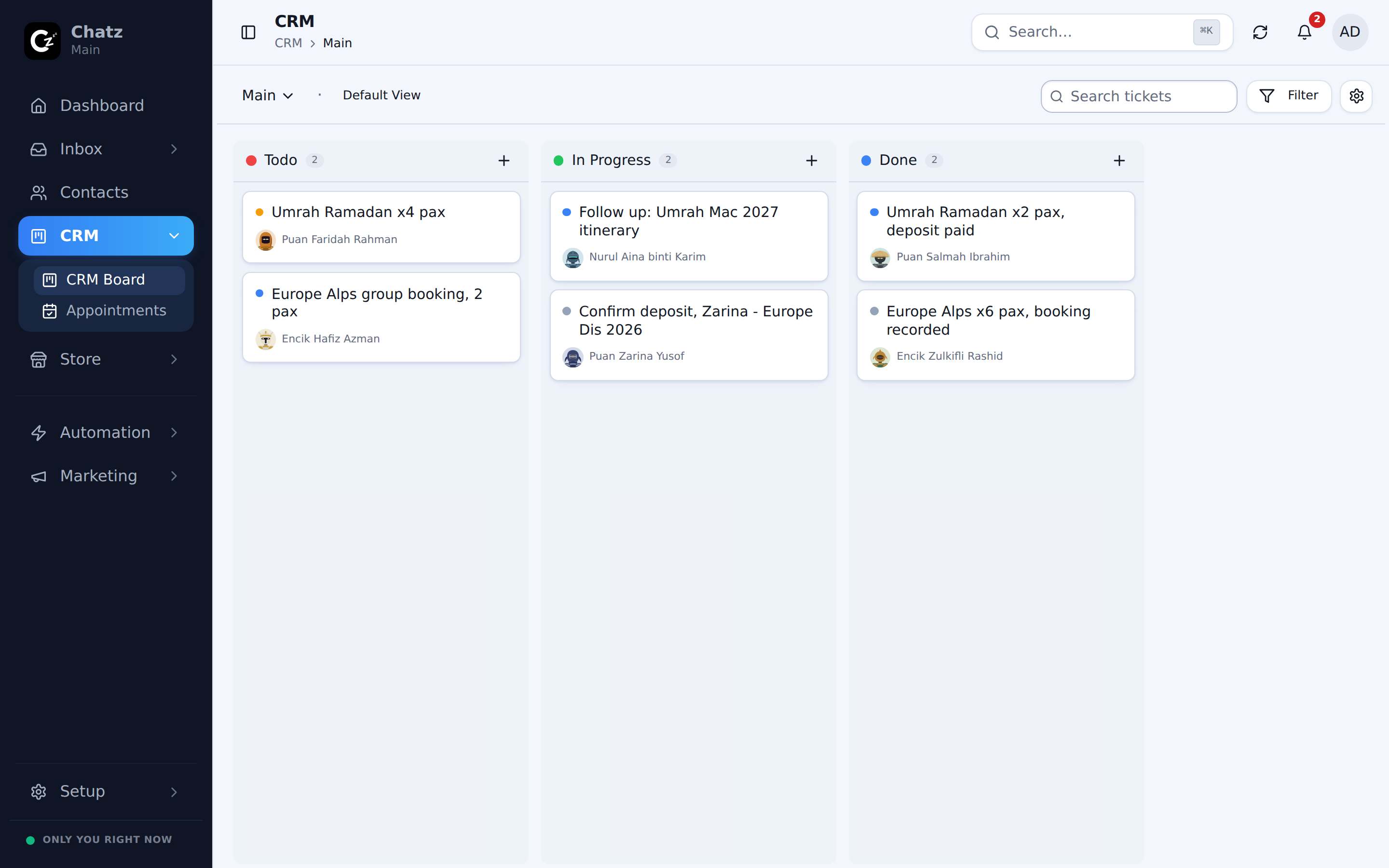
Views
A board can be viewed several ways, and switching between them does not change the data underneath, only how it is laid out:
- Kanban, either horizontal columns (the usual pipeline layout) or a vertical arrangement.
- Contact board, grouped around contacts rather than deal stages.
- Payment board, for tracking payment progress on a ticket.
- Mobile board, a layout suited to a phone screen.
Board settings control the columns and how the board behaves, and you can save a particular view (filters, sort, layout) so you and your team return to the same setup next time.
Tickets
A ticket is one card on the board, and it is linked back to the contact it belongs to and to the conversation it came from, so opening a ticket takes you straight to the chat history behind it, rather than leaving you to guess which chat a deal came from. Create a ticket by hand from the board, and open its drawer to edit details, move it between stages, or see its full history. Because tickets carry that link, an appointment booked from the same conversation shows up alongside the ticket too.
Won, Lost and Resolved
A ticket eventually reaches an end state, and what counts as one is not fixed: your workspace defines which columns or statuses mean Won, Lost or Resolved under Settings then Analytics.