
Automation
Flow templates
Start from a ready-made flow instead of a blank canvas.
The template market
Rather than starting a message flow from a blank canvas, browse the Flow Template market for one already built for a common goal. Every template shows a star rating from other workspaces that have used it, and you can search to narrow the list down to what you need.
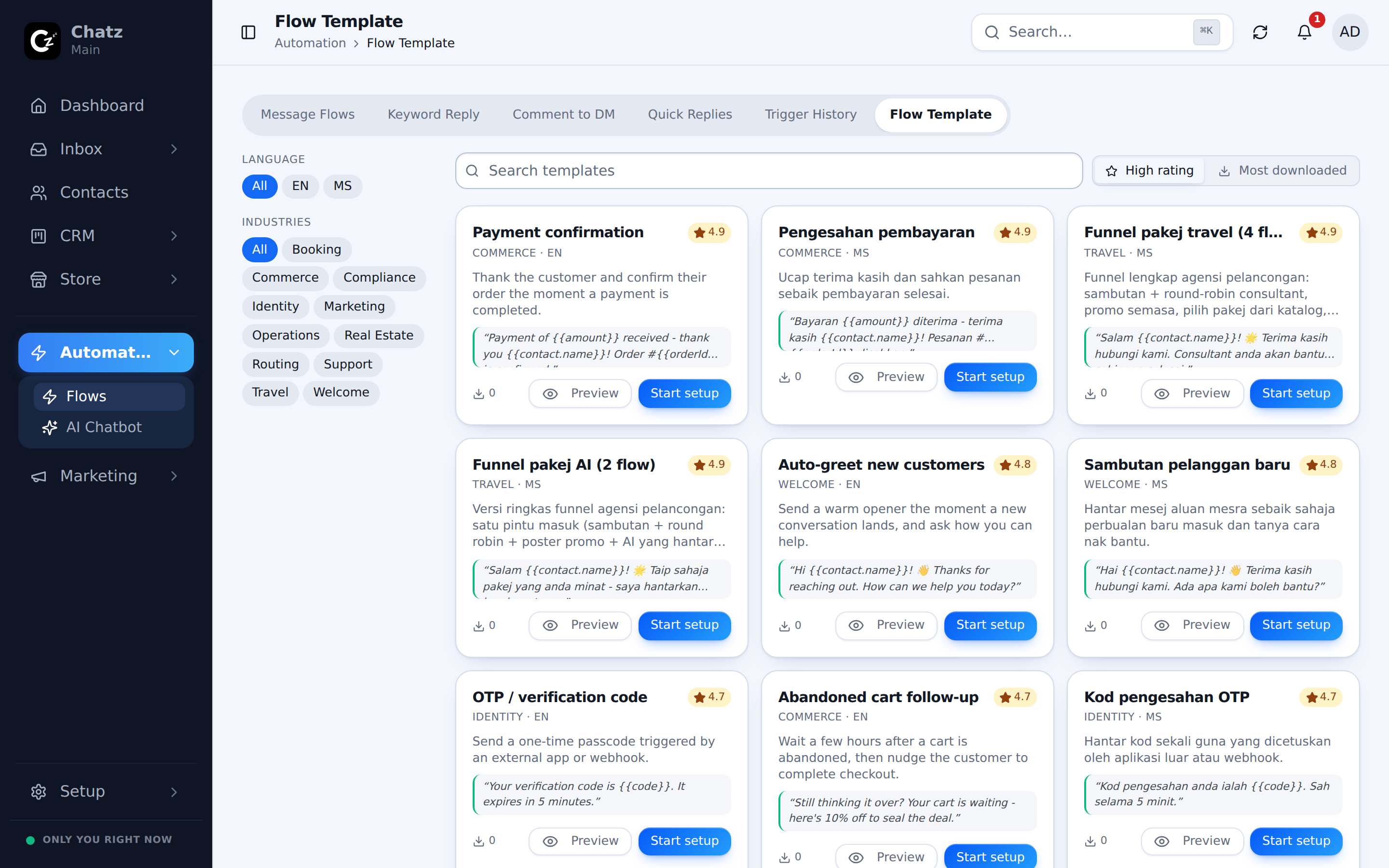
Preview and import
- Open Automation, then Flow TemplateBrowse or search the market for a template close to what you want to build.
- Preview itOpen a template to see its full trigger and step layout before bringing it into your workspace, the same way you would read a finished flow.
- Import itOne click copies the template into your workspace as a new flow, ready to adjust.
- Adjust it to your businessUpdate the wording, the attachments and any merge tags so it reads as yours, then test and publish it like any other flow.
A copy, not a link
Importing a template creates an independent flow in your workspace. Editing your copy never changes the original template, and later updates to the template will not change the flow you already imported.
The [Contoh] examples
The market ships with more than 20 ready-made flows marked [Contoh], Malay for "example", built around goals common to Malaysian businesses: things like following up an enquiry, confirming a booking, or nudging a customer who went quiet. They exist so a new workspace has something worth importing on day one, instead of an empty flow list and a blank canvas.
- Each one is a working flow, not just an illustration, so it can be imported and run as-is.
- Treat the wording as a starting point: swap in your own products, pricing and tone before it reaches a real customer.