
Automation
Comment to DM
Turn comments on your posts into private conversations.
What it does
Comment to DM turns a public comment on one of your posts into a private conversation. When someone comments on a post using a word or phrase you have set up, Chatz sends them a direct message automatically, so a comment that would otherwise sit unanswered under a post becomes a lead in your inbox within seconds.
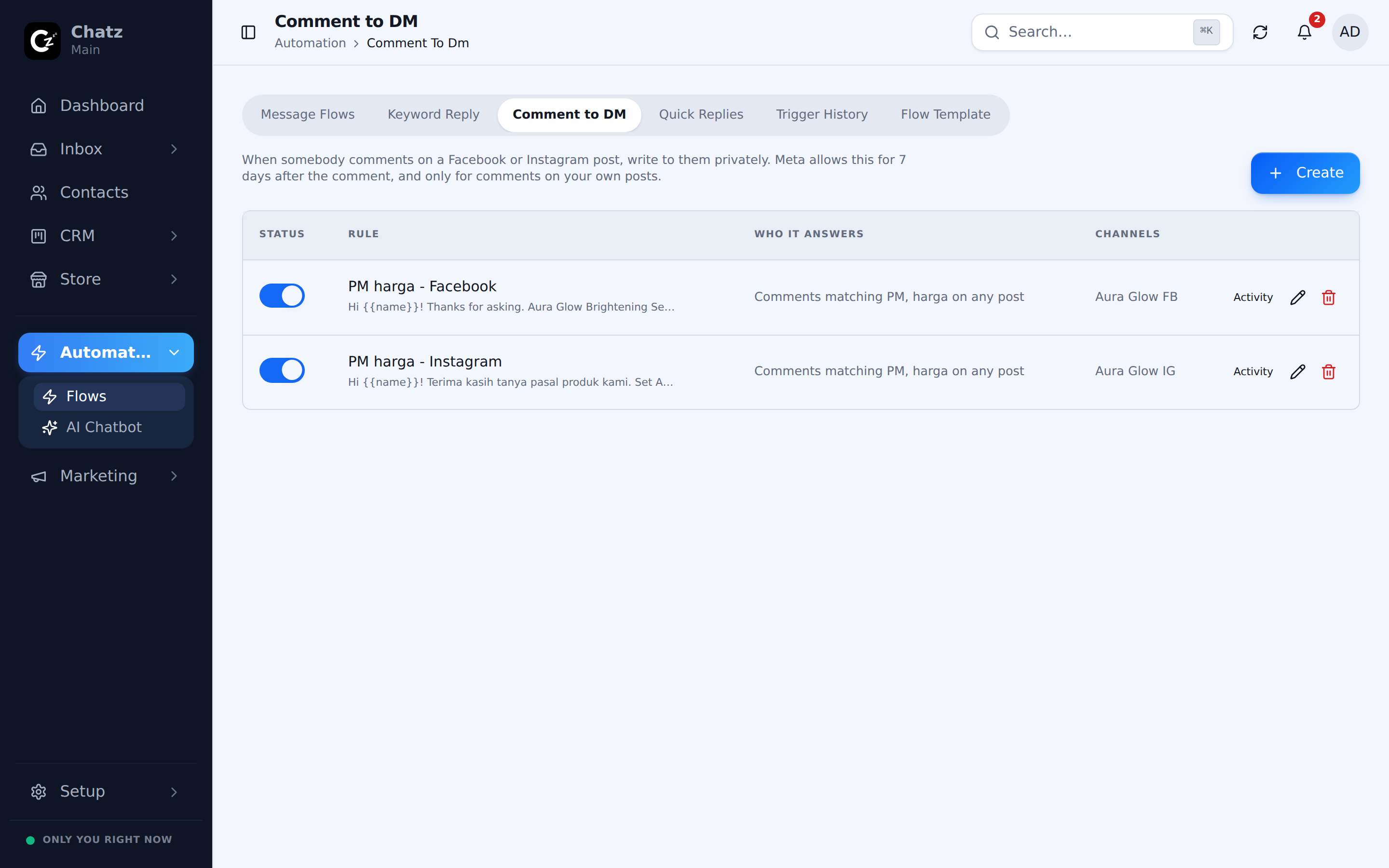
It is built for the moment a comment shows real intent, such as someone commenting "price" under a product photo. Rather than a member of your team scrolling comments looking for that, the reply goes out the moment it is posted, and the conversation continues in the contact's inbox thread like any other chat.
Setting up a rule
- Open Automation, then Comment to DMYou will see the rules already set up for your connected channels.
- Add a ruleSet the keyword or phrase a comment must contain to trigger the rule, and the message that gets sent as a DM when it matches.
- Scope it to a channelChoose which connected channel the rule listens on.
- Turn it onLike a keyword reply rule, it only matches comments once switched on.
- A rule matches by keyword, the same way a keyword reply rule does.
- Each rule is scoped to one channel, so different posts on different platforms can run different rules.
Which channels
Comment to DM works on the channels where comments and DMs are both part of the platform: Instagram and Facebook Messenger, wherever the corresponding channel is connected under Channels.