
AI
AI chatbot
A bot that answers customers using your own knowledge.
The bots list
The AI Chatbots page lists every bot in your workspace. A bot is a configured assistant that can answer customers on its own, using your own knowledge rather than generic answers, wherever you choose to switch it on.
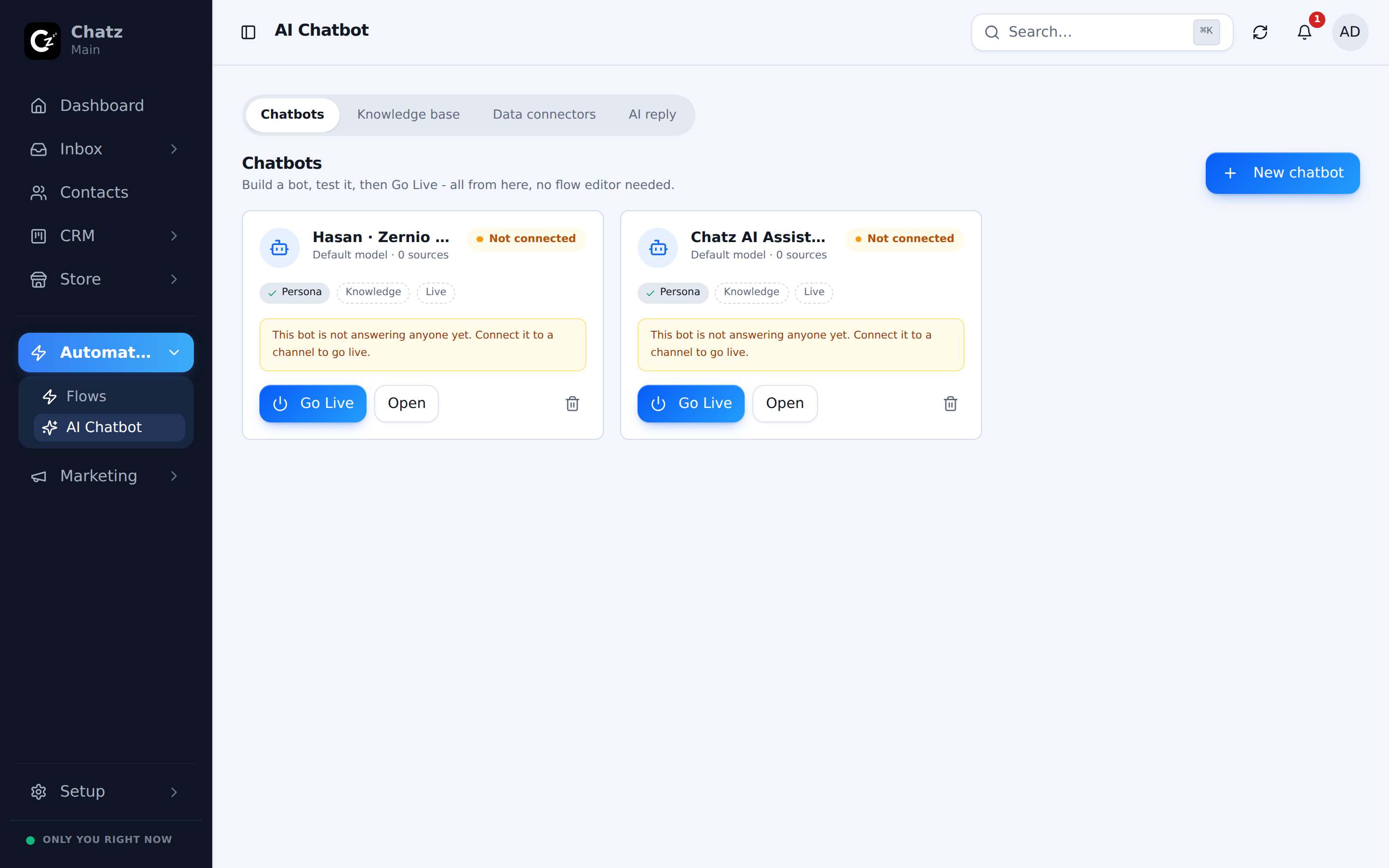
Building a bot
Open a bot to configure it across four tabs:
| Tab | What it sets |
|---|---|
| Persona | The bot's name, its system prompt (how it should behave) and its language and tone. |
| Knowledge | Which knowledge sources and product catalogue it can draw answers from. |
| Activation | Which channels and flows the bot runs on, and the rules that decide when it takes over. |
| Test | A chat window to try the bot yourself before it talks to a real customer. |
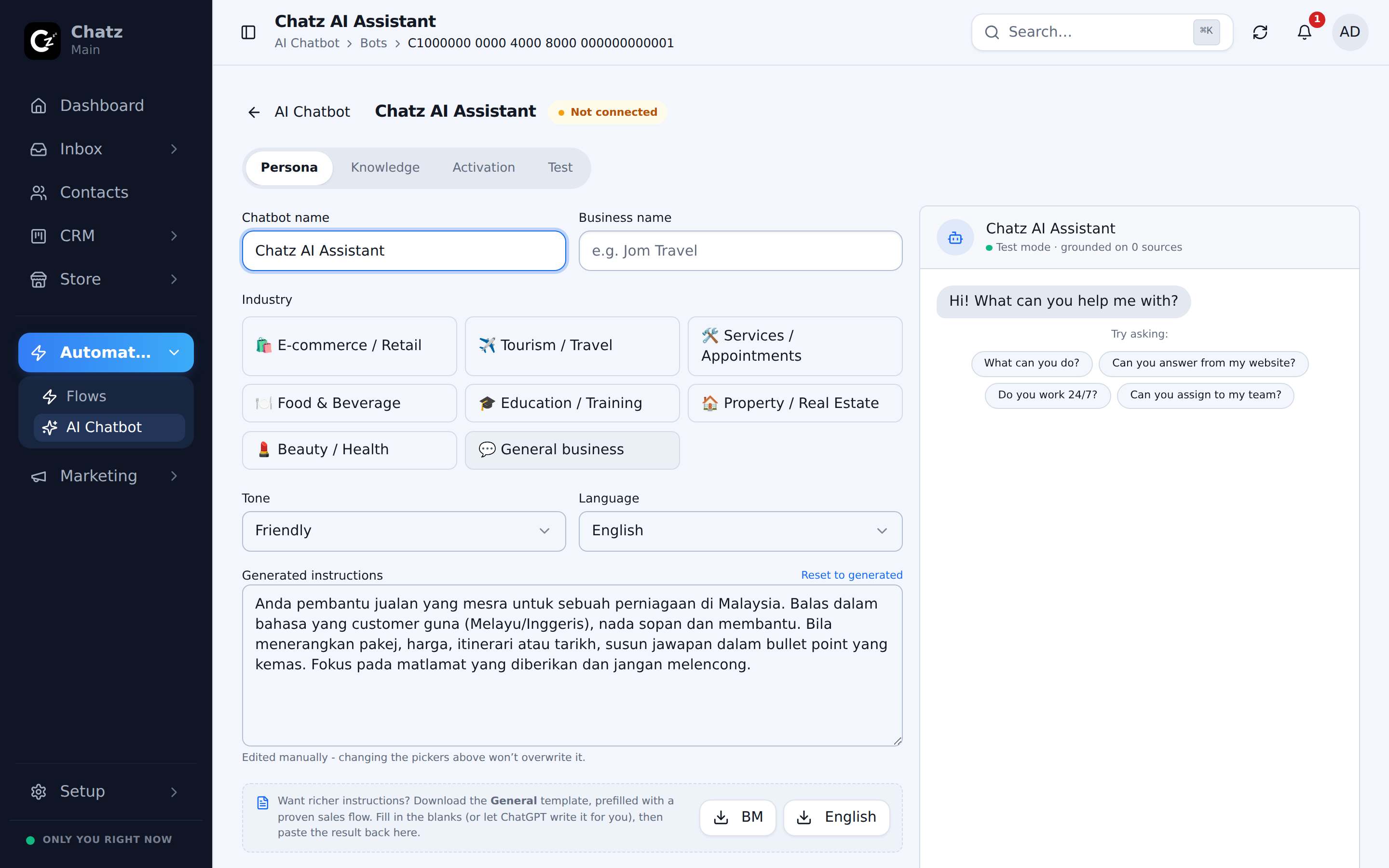
A bot only knows what you connect on its Knowledge tab, and only answers where its Activation rules point it, so the same workspace can run a specific bot on one channel and a different one, or none at all, on another. See Knowledge base for how sources are built.
Goals and handover
A bot does not have to just answer questions. You can give it a goal, such as collecting a traveller count and preferred dates, and it will steer the conversation toward gathering that before handing the conversation to a human agent. That keeps the bot useful for the repetitive part of a conversation while leaving the part that needs judgment, like closing a sale, to a person.
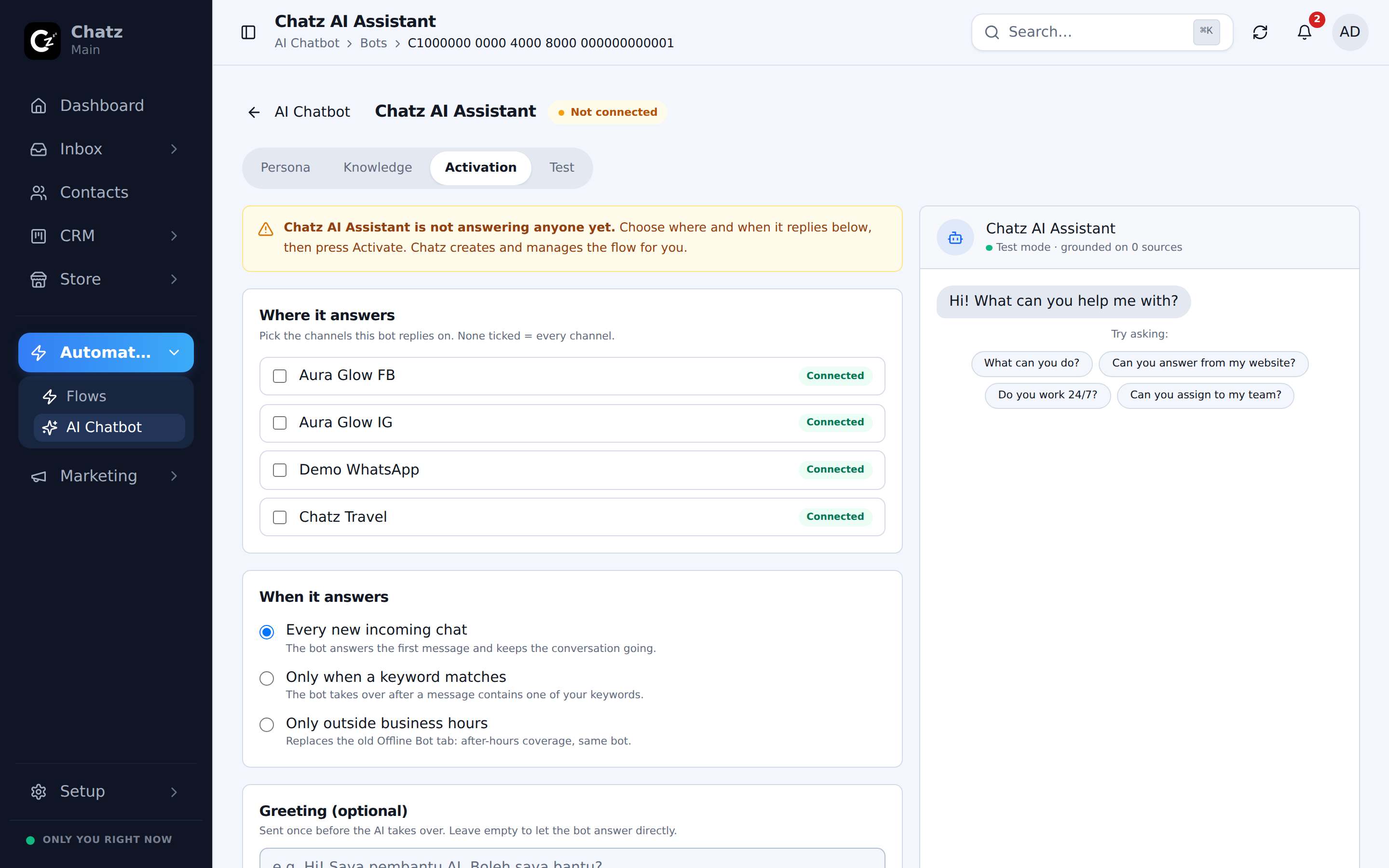
Always test before it goes live
Use the Test tab to chat with the bot the way a customer would, including trying to throw it off topic, before switching it on for real conversations under Activation.
AI credits and pacing
Every reply a bot sends spends AI credits from your plan's usage meter, shown under Settings then Billing. A longer, more knowledge-heavy reply typically costs more than a short one.
- The AI reply drafts used in the inbox composer are a separate feature: they draft suggestions for an agent to review, never send automatically, and are configured under the AI reply tab.