
Sending and safety
Scheduled and failed messages
Everything queued to send, and how to recover failures.
What's in Scheduled
The Scheduled tab under Sending is one place to see everything queued to go out, whichever part of Chatz put it there. That includes:
- Messages you scheduled from the inbox composer for a later time.
- Steps a message flow is currently waiting on before it continues.
- Broadcast sends that are still working through their recipient list.
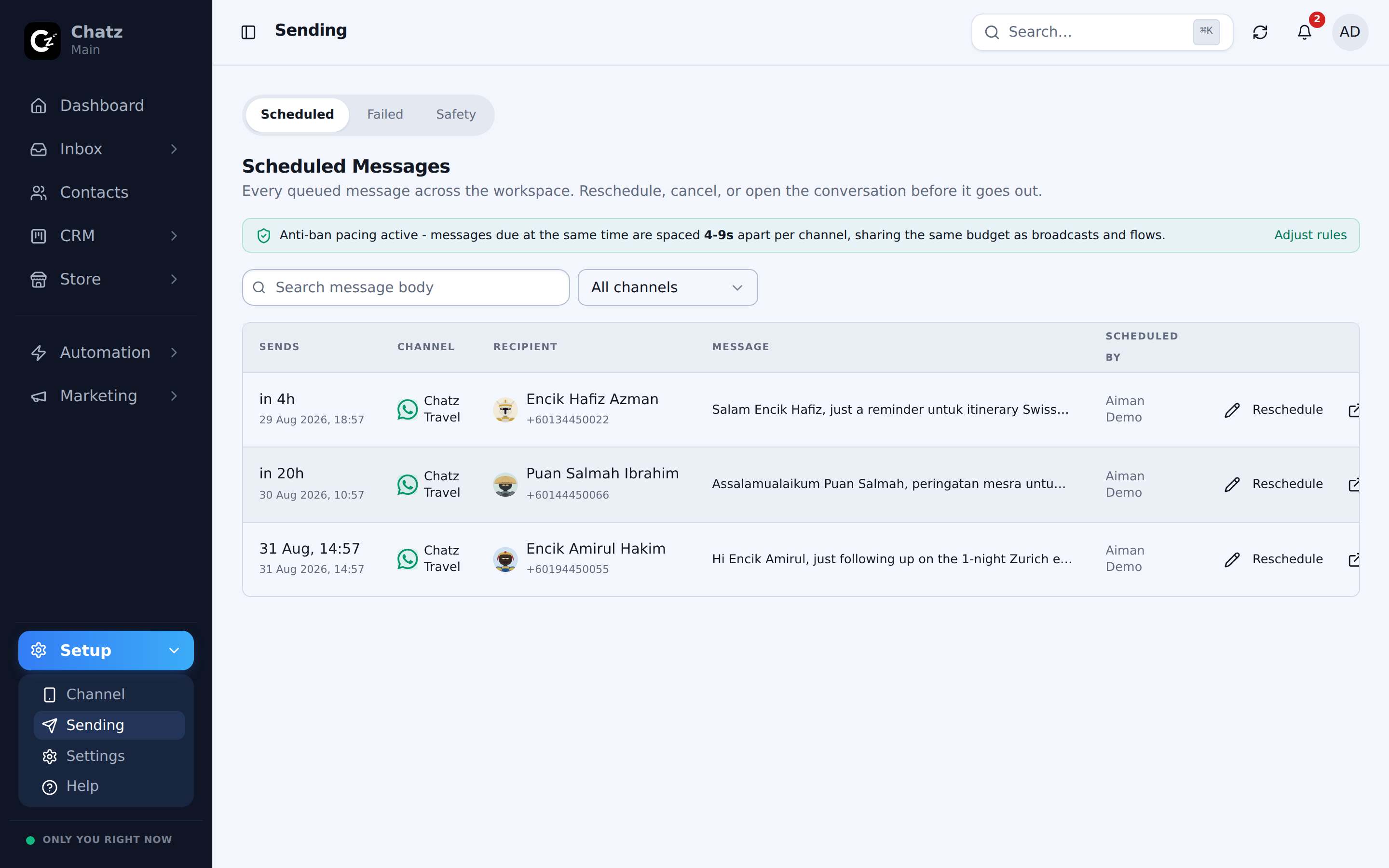
Because a scheduled composer send and a flow wait land in the same list, you never have to check two places to know what is about to reach a customer.
Flow waits show up here too
When a flow reaches a delay step, it does not just sit silently in the background. It parks a scheduled message for the step it is holding, so the wait is visible both in Scheduled and as a blue bubble in the customer's conversation.
The Failed tab
The Failed tab lists messages that did not go out, whatever the reason: a channel disconnected, a number blocked you, or the send otherwise did not reach WhatsApp. Each row shows the message and a Retry action so you can send it again once the underlying problem is fixed, for example after reconnecting a channel.
This tab is also reachable directly at Failed messages, so a teammate chasing a failed send does not need to open Sending first to find it.
If failures are piling up on one channel, check WhatsApp safety and the delivery error reported by the channel before retrying.