
Inbox yang tunjuk deal, bukan sekadar chat
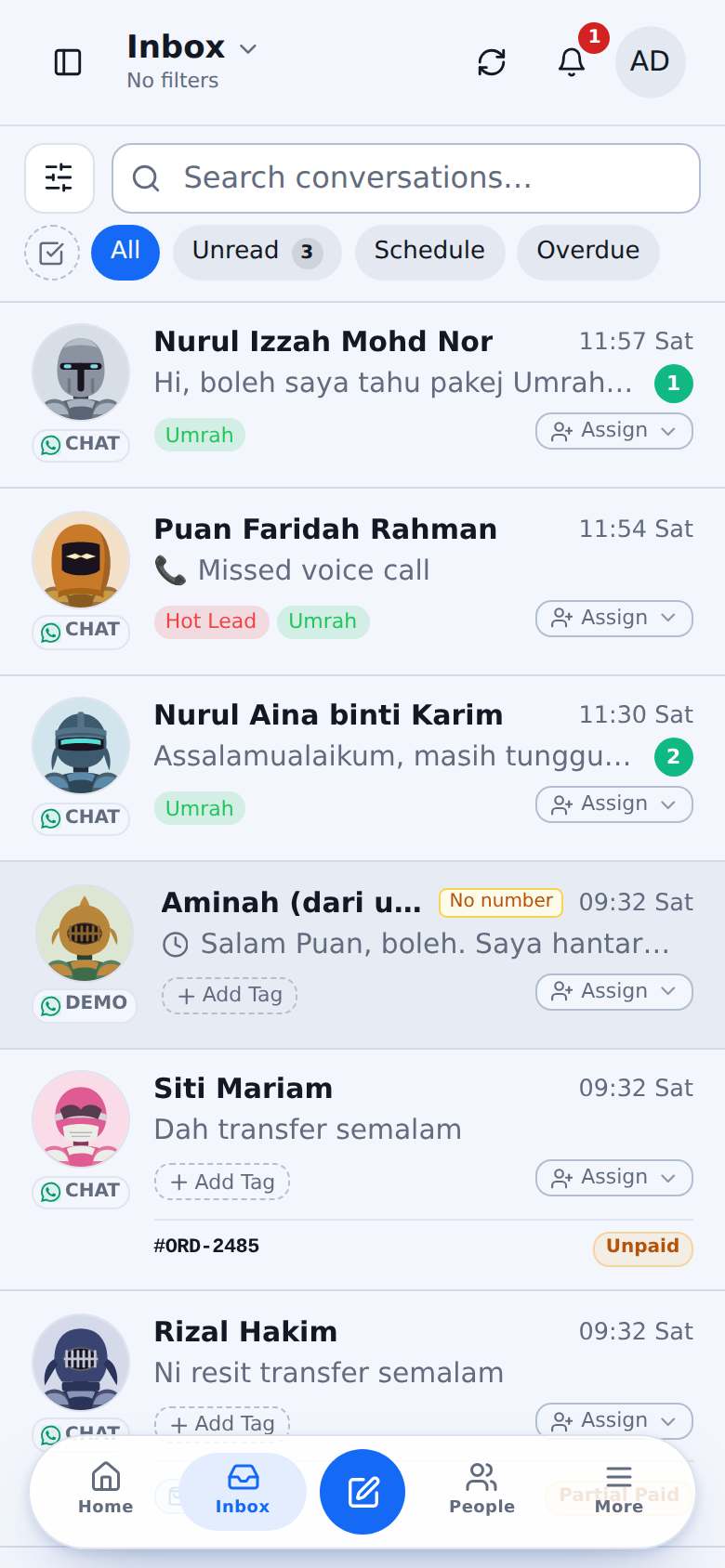
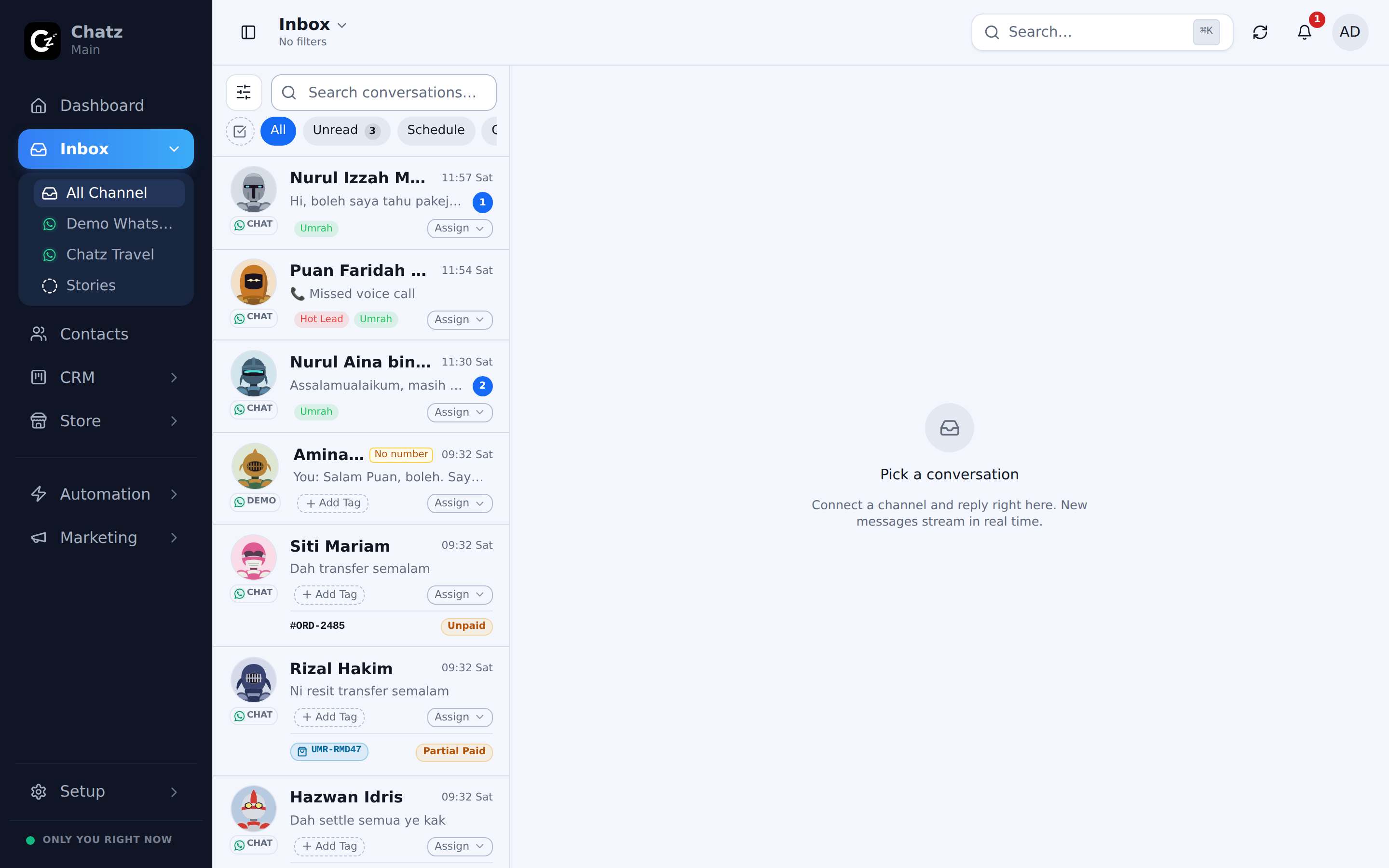
Assignee, tag, nombor order dan status bayaran ada pada setiap conversation, sebelum anda buka pun. Run flow, letak quick replies dan jadualkan follow-up tanpa keluar dari thread.
Every row carries the answer. Who owns it, what they bought, and whether it is paid.
Senarai chat dah jawab soalan anda
Siapa pegang chat ni? Invoice dah bayar ke belum? Dia nak beli apa? Setiap baris ada jawapannya: assignee, tag, dan nombor order dengan badge bayaran yang live, dilampirkan secara automatik.
- Assignee dan tag nampak pada setiap conversation
- Nombor order dilampirkan automatik dengan badge Unpaid, Partial Paid, Paid dan overdue
- Pill produk tunjuk apa yang customer nak beli
- Filter dan saved inbox untuk unread, unassigned, invoice overdue dan banyak lagi
Run flow dan quick replies terus dari chat
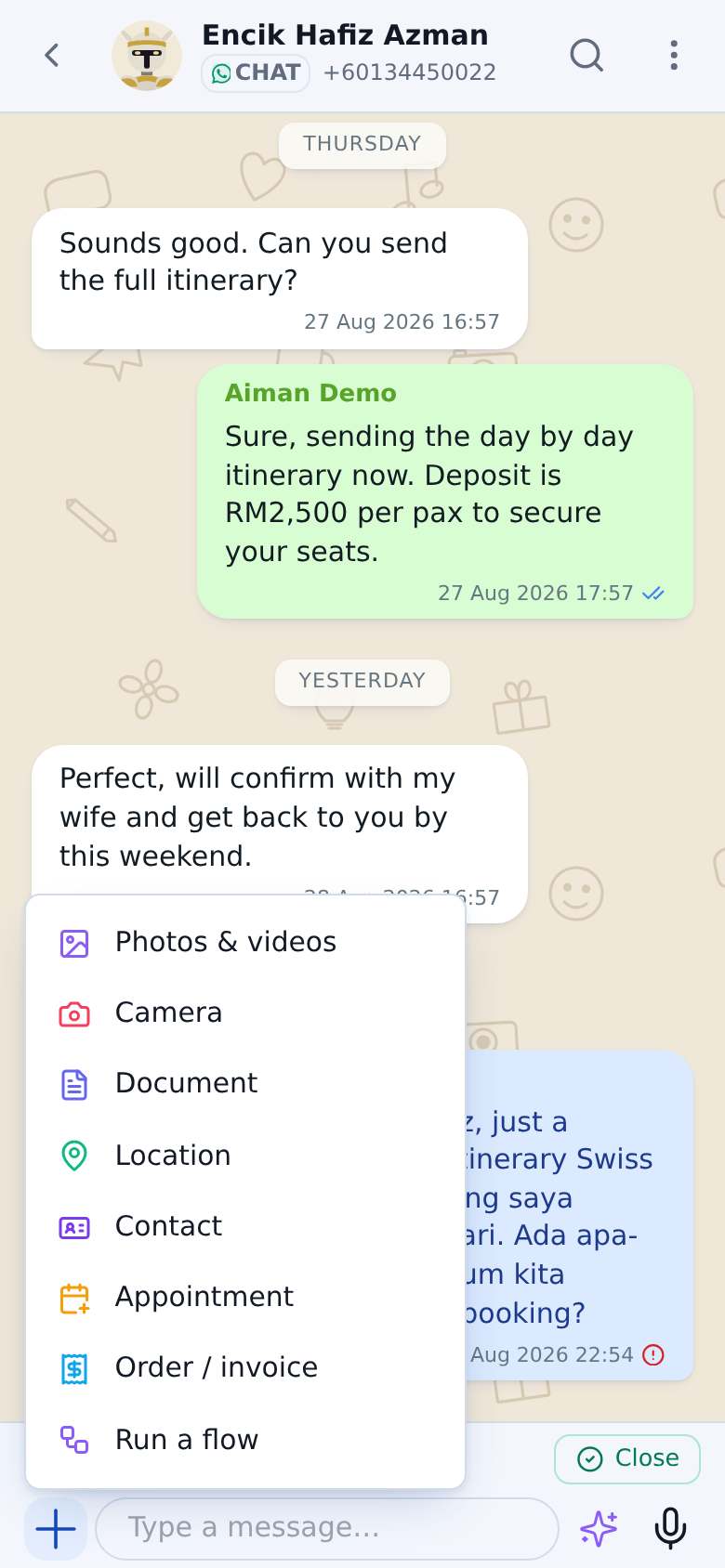
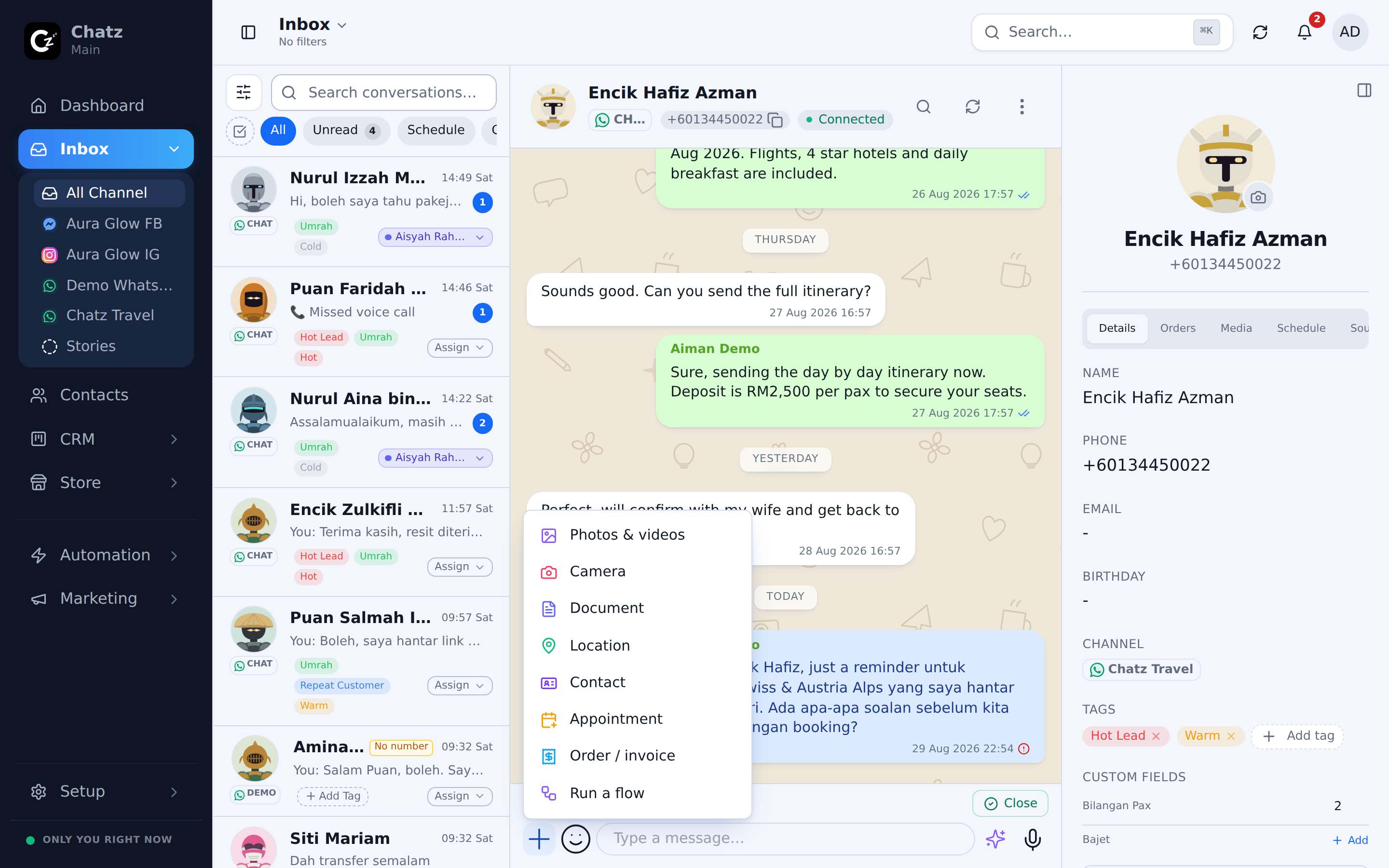
Taip / untuk hantar jawapan tersimpan atau satu automation penuh pada conversation ni. Buka menu + untuk lampirkan produk, buat invoice atau tempah appointment. Chat tu sendiri jadi workspace.
- Slash menu untuk quick replies dan flow
- Lampirkan produk, order, invoice, lokasi dan appointment dari composer
- Nota dalaman dengan @mention, tak pernah dihantar kepada customer
- Bulk select untuk tag, assign, tutup atau arkib banyak chat sekali gus
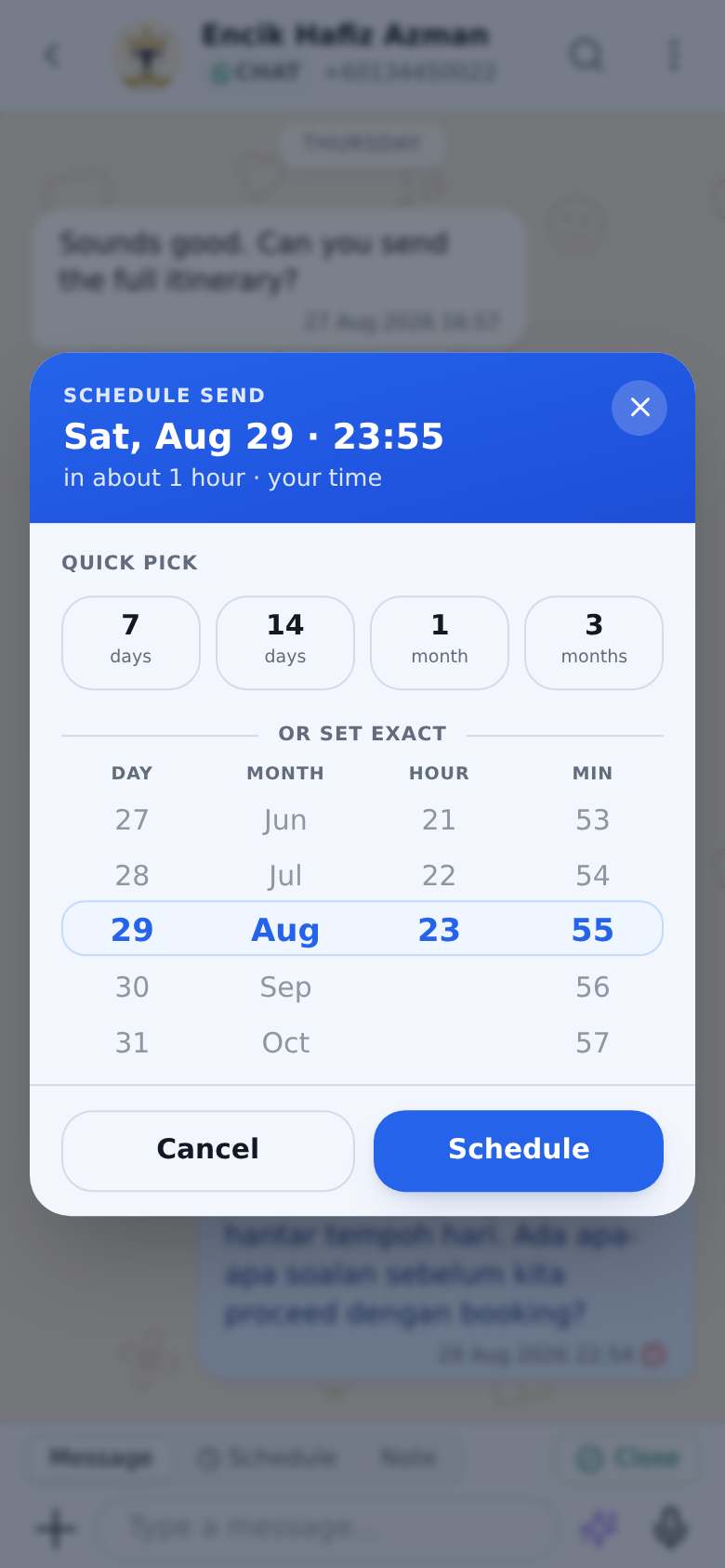
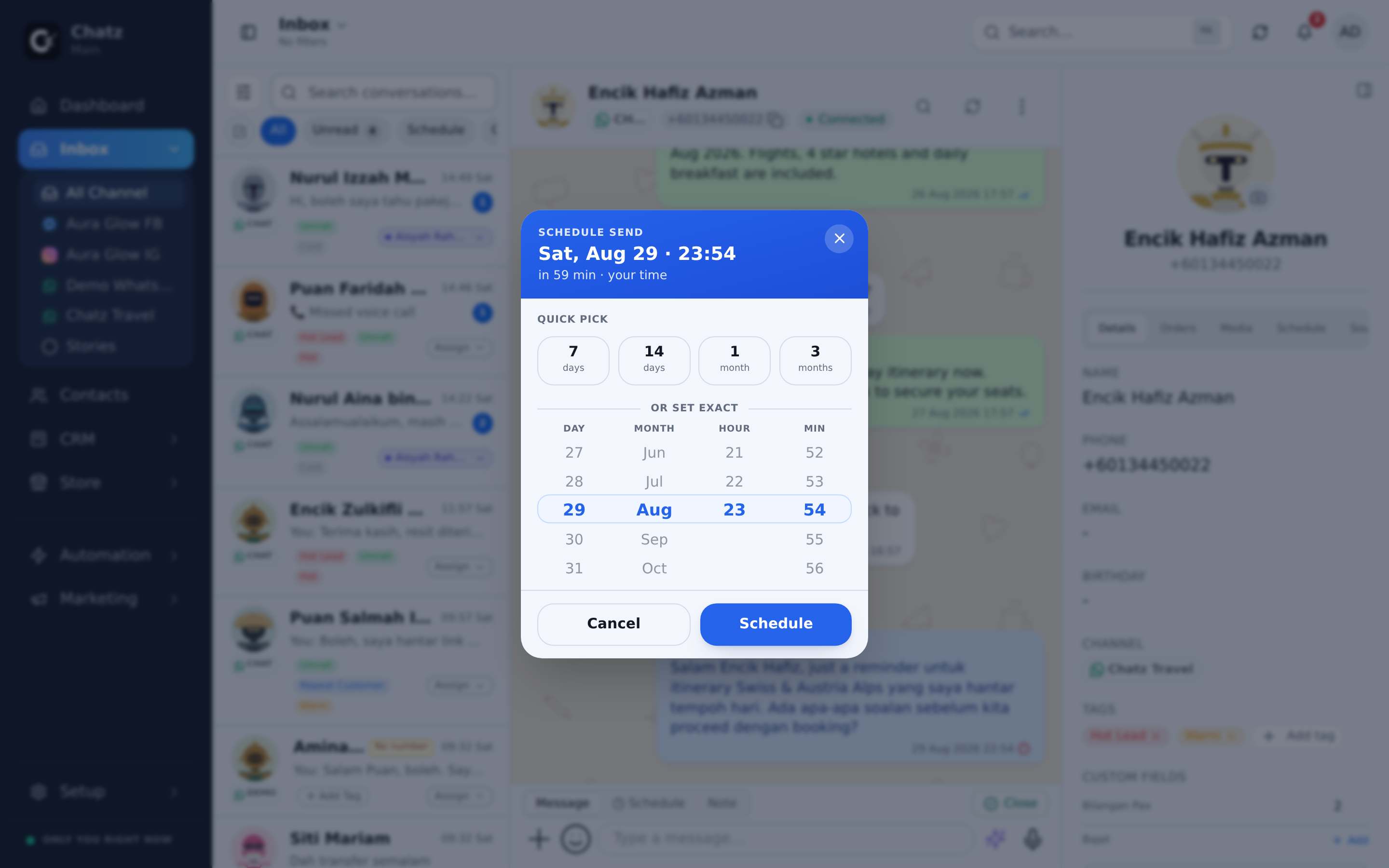
Hantar nanti, secara automatik
Mesej, peringatan bayaran, peringatan appointment dan follow-up flow semuanya boleh dijadualkan, dan setiap hantaran berjadual nampak dalam thread di mana mana-mana agent boleh batalkannya.
- Jadualkan apa-apa mesej dari composer
- Peringatan bayaran kejar invoice ikut peraturan anda, melalui WhatsApp atau email
- Flow yang tengah menunggu tunjuk bubble berjadual dalam thread, boleh dibatalkan oleh mana-mana agent
- Satu queue Scheduled tunjuk semua yang akan keluar
Semua tentang customer, di sebelah customer
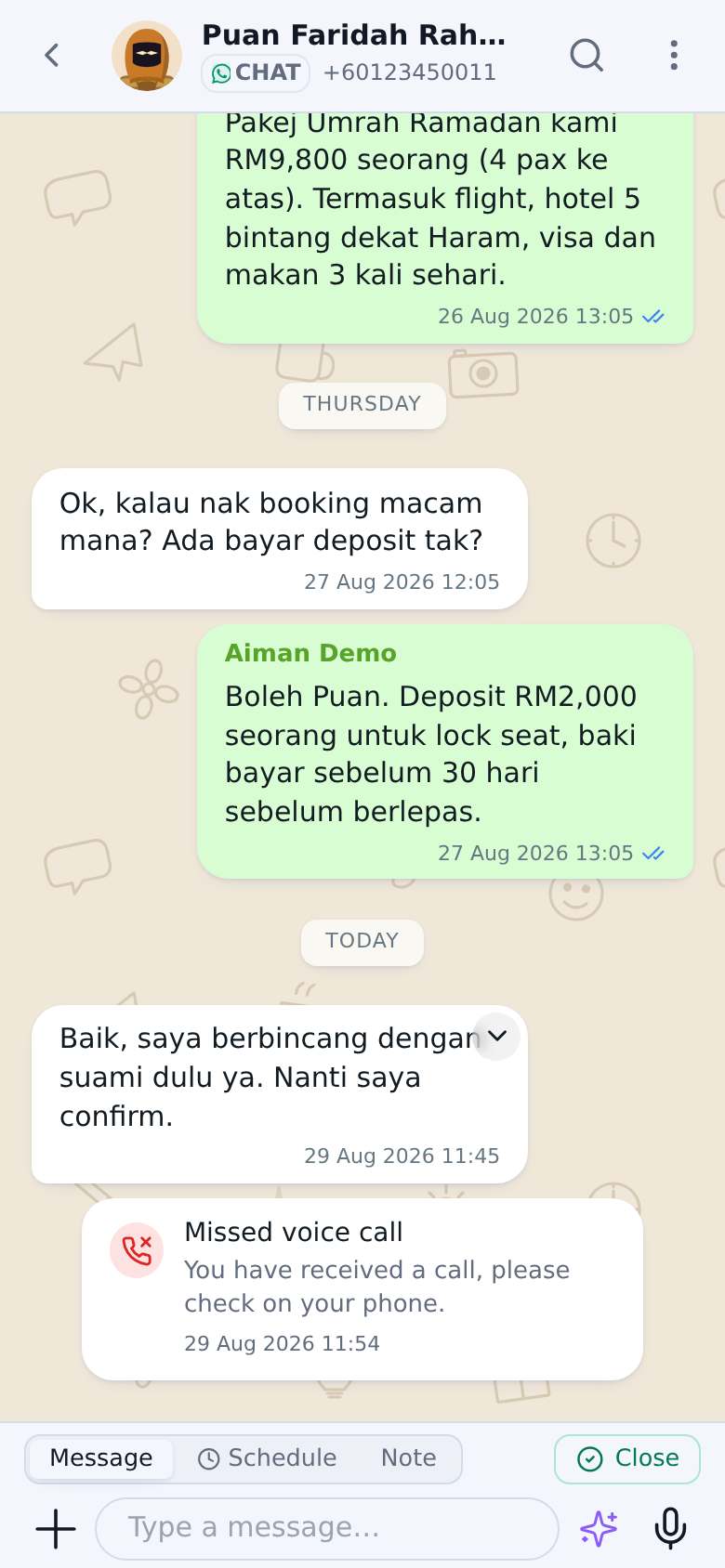
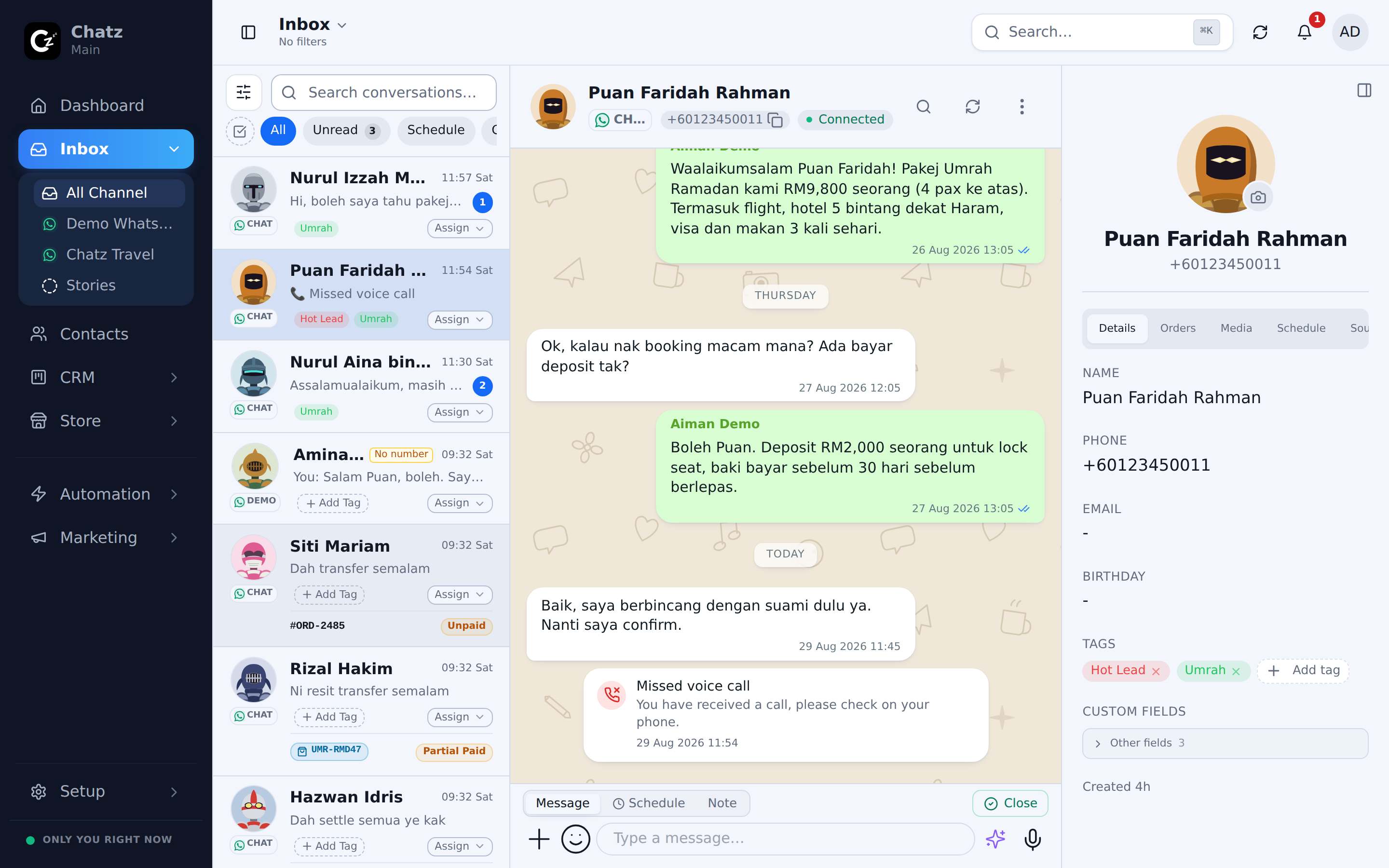
Panel contact simpan maklumat, custom field, order, media, tempahan akan datang dan sumber yang bawa mereka masuk, termasuk iklan mana, bersebelahan dengan conversation.
- Maklumat dan custom field untuk bisnes anda
- Order dan invoice dengan sejarah bayaran
- Setiap gambar dan fail yang pernah dipertukarkan
- Jadual tempahan, dan sumber iklan yang mulakan semuanya
Senjata-senjata lain
Tengok dalam inbox anda sendiri
Mula free dan sambung channel pertama anda dalam beberapa minit. Nak butiran penuh? Docs terangkan feature ni langkah demi langkah.