
Sales pipeline yang isi sendiri daripada chat anda
Deal masuk ke board terus dari conversation, bergerak ikut invoice, dan tempah appointment sendiri, dengan peringatan yang customer anda betul-betul terima.
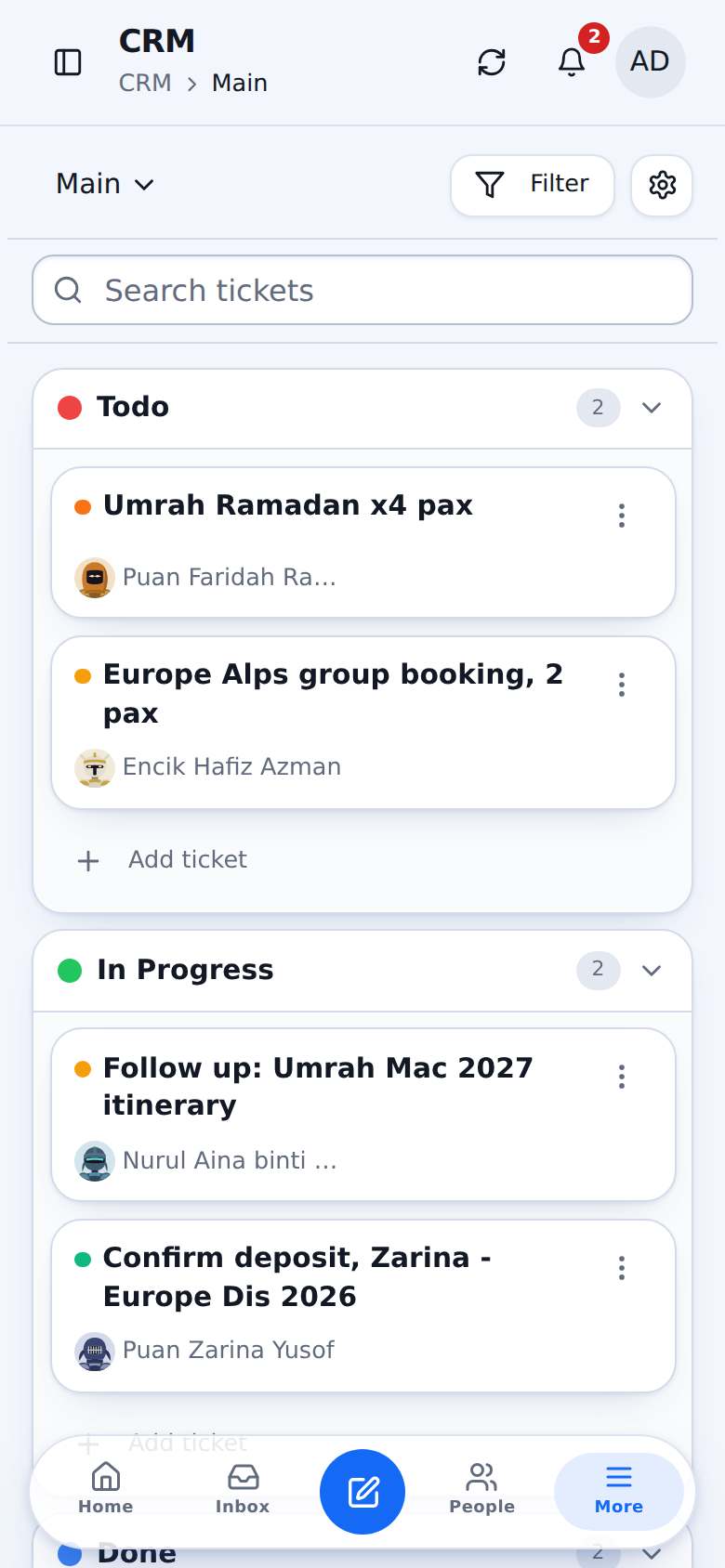
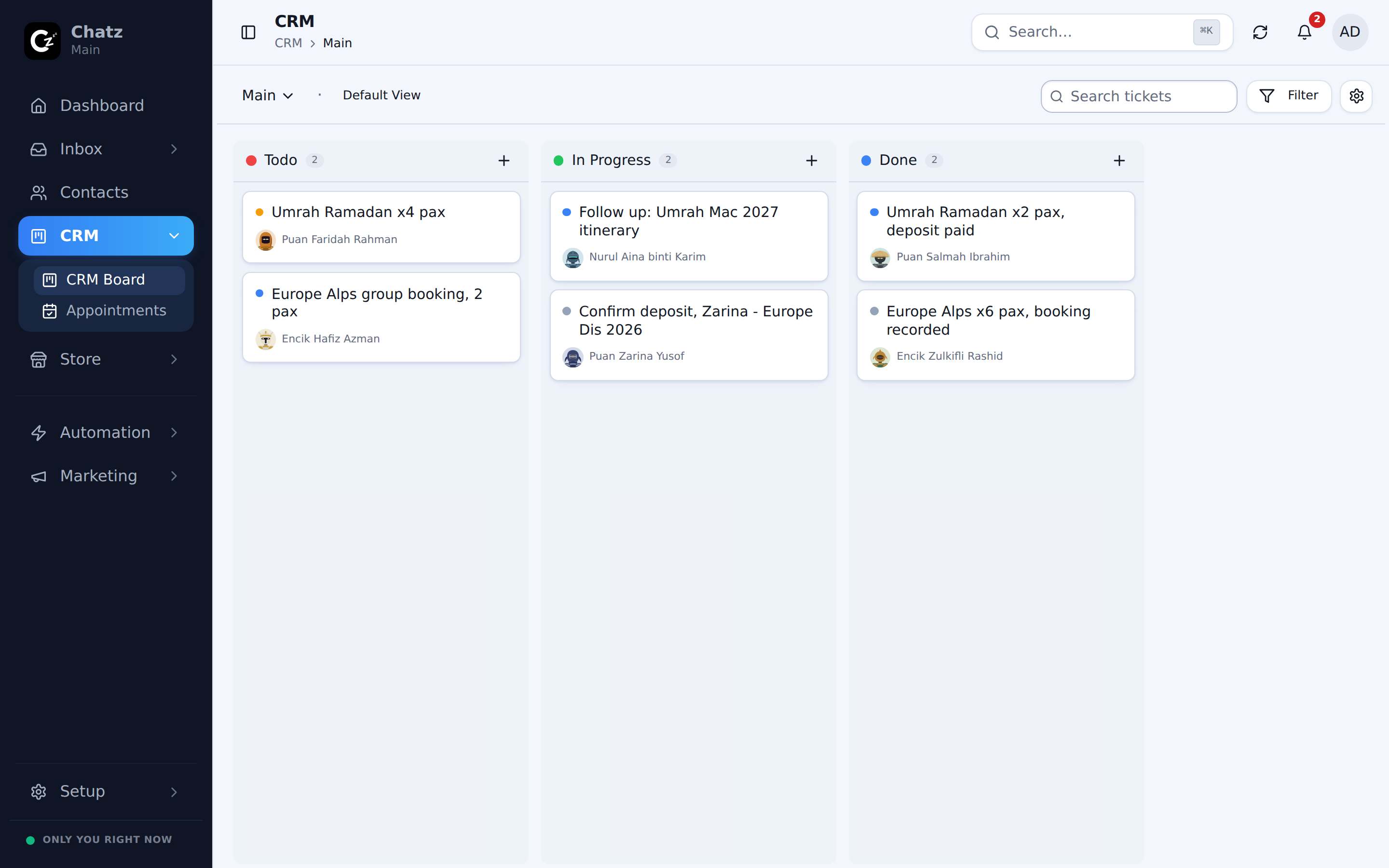
Kanban yang ikut cara anda betul-betul jual
Column untuk stage anda, kad untuk deal, ditarik ke depan bila ia maju. Setiap kad dipautkan ke contact dan conversation dia, jadi konteks cuma satu klik, bukan perlu cari.
- Kanban dalam layout mendatar atau menegak, serta board contact dan payment
- Kad dicipta dari conversation atau secara automatik oleh flow
- Contact dilampirkan automatik, tak payah taip semula dalam sistem kedua
- Filter ikut assignee, simpan view yang team anda selalu guna
Stage bergerak bila duit bergerak
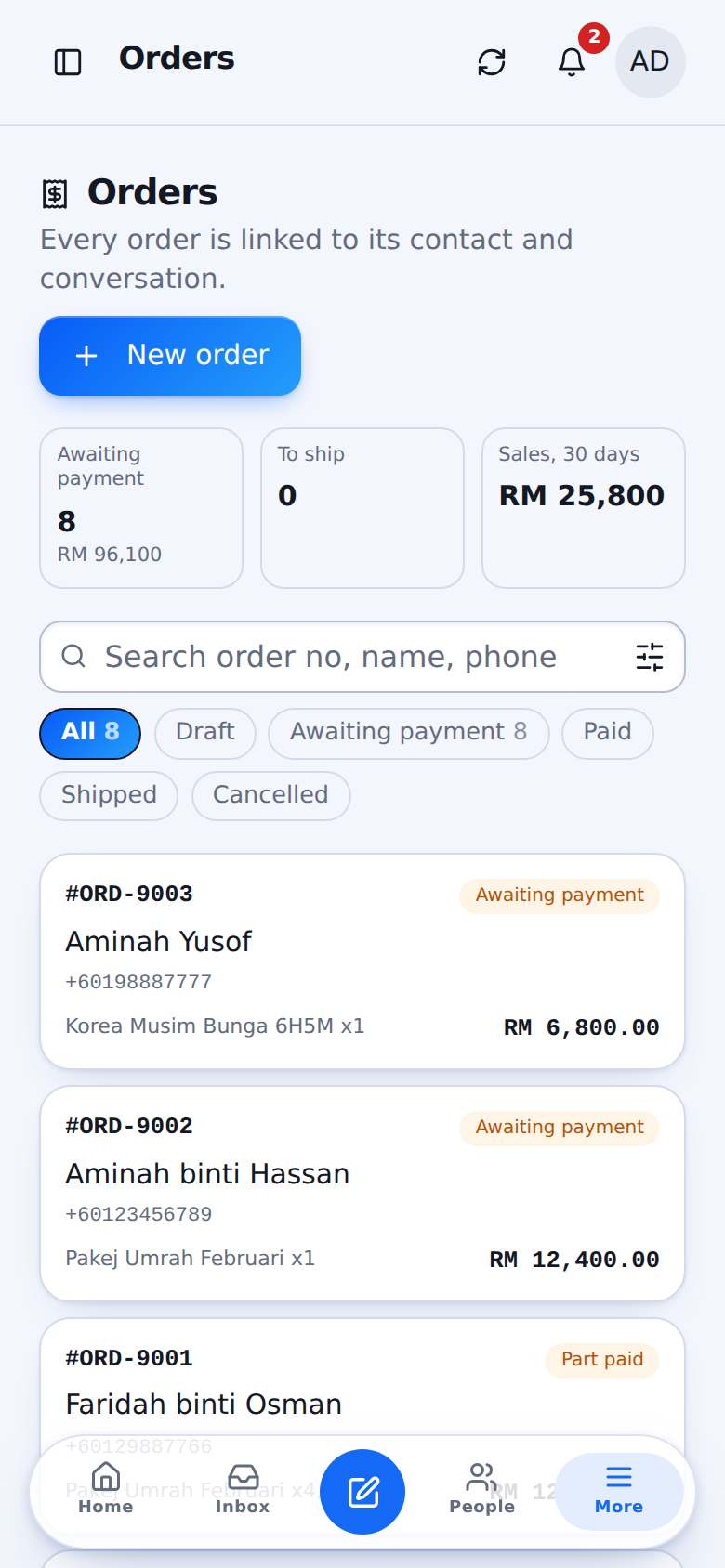
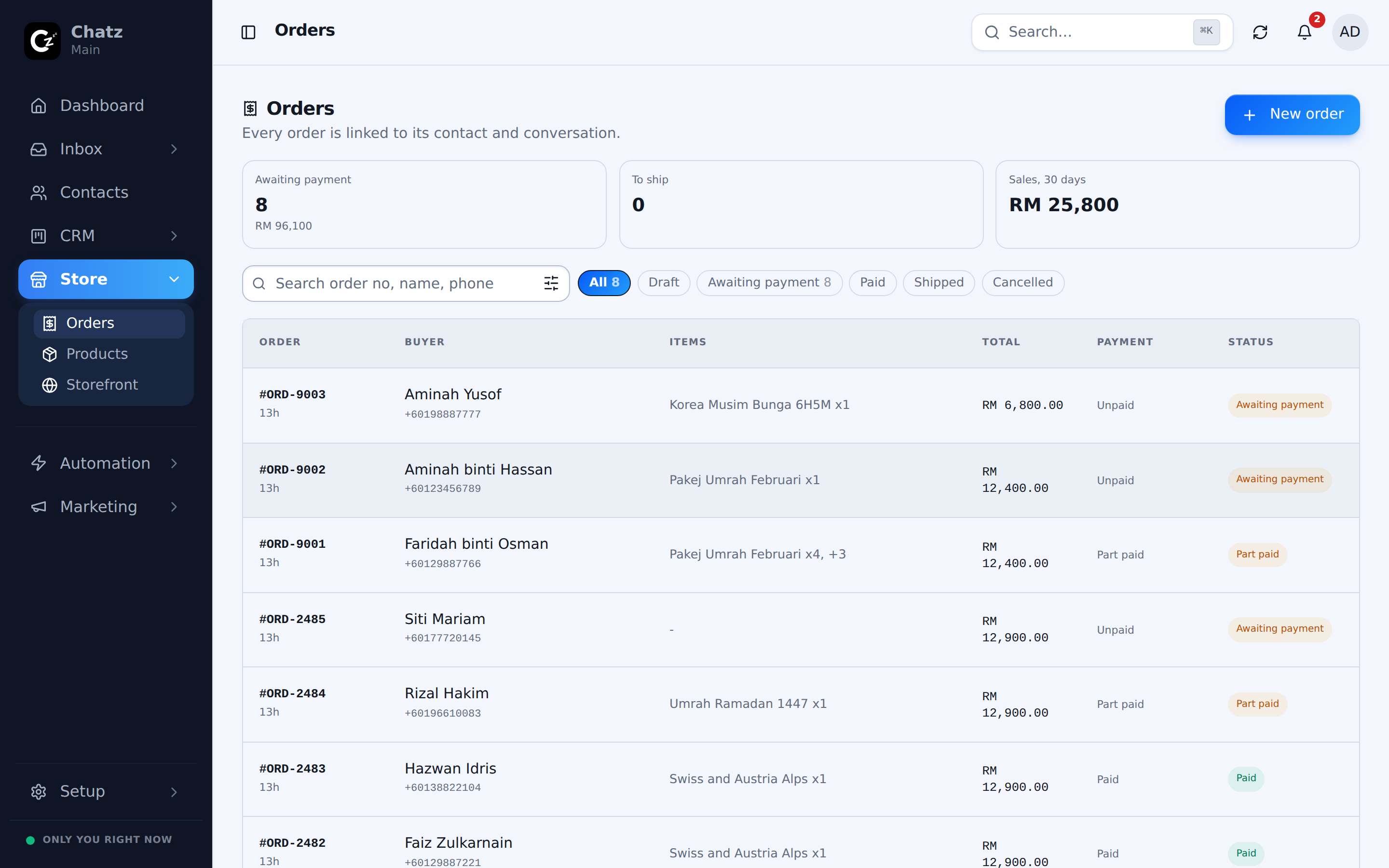
Tetapkan Won sebagai "invoice dah bayar" sekali sahaja, dan pipeline kemas kini sendiri daripada status bayaran sebenar, tak perlu harap orang ingat nak seret kad.
- Won, Lost dan Resolved ditakrif oleh marker anda sendiri
- Status invoice menentukan status deal
- Takrifan yang sama menggerakkan reporting dan Ads scoreboard
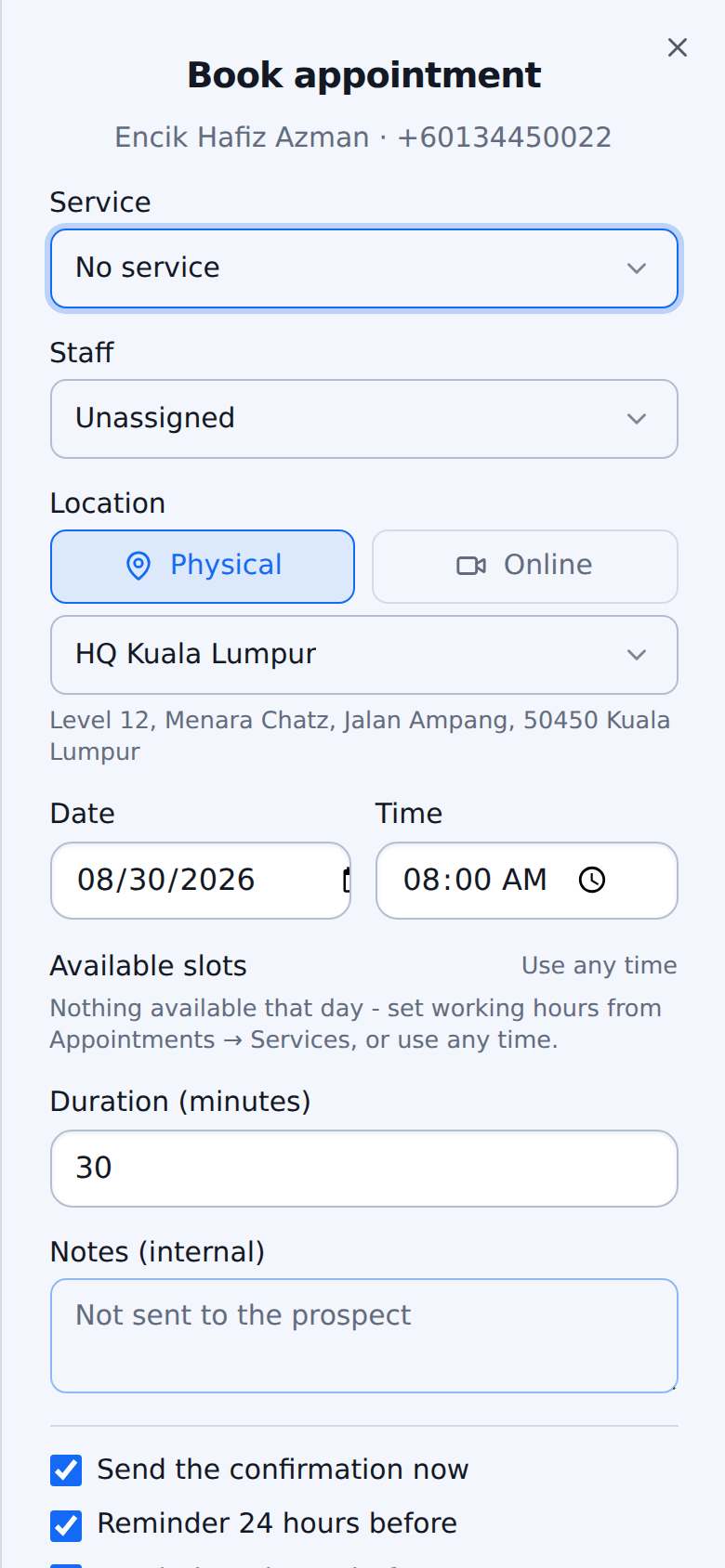
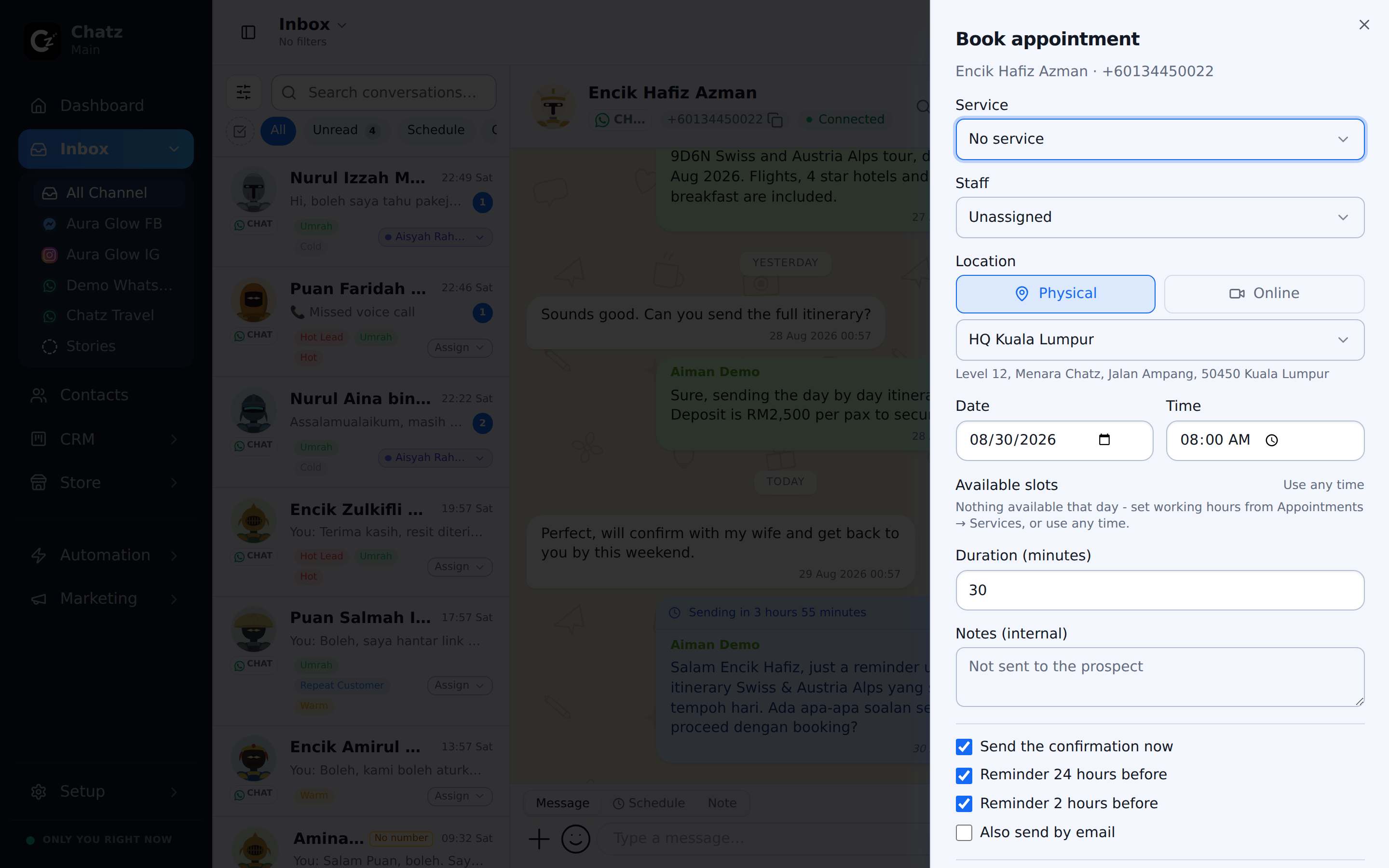
Tempah meeting tanpa keluar dari conversation
Pilih servis, cawangan dan slot dari composer. Tempahan masuk dalam thread, panel contact dan kalendar anda, dan customer dapat link sendiri untuk confirm atau reschedule.
- Ditempah terus dalam chat dari menu +
- Customer confirm, reschedule atau batalkan pada link sendiri, tak perlu akaun
- Penjejakan kehadiran: hadir atau no-show
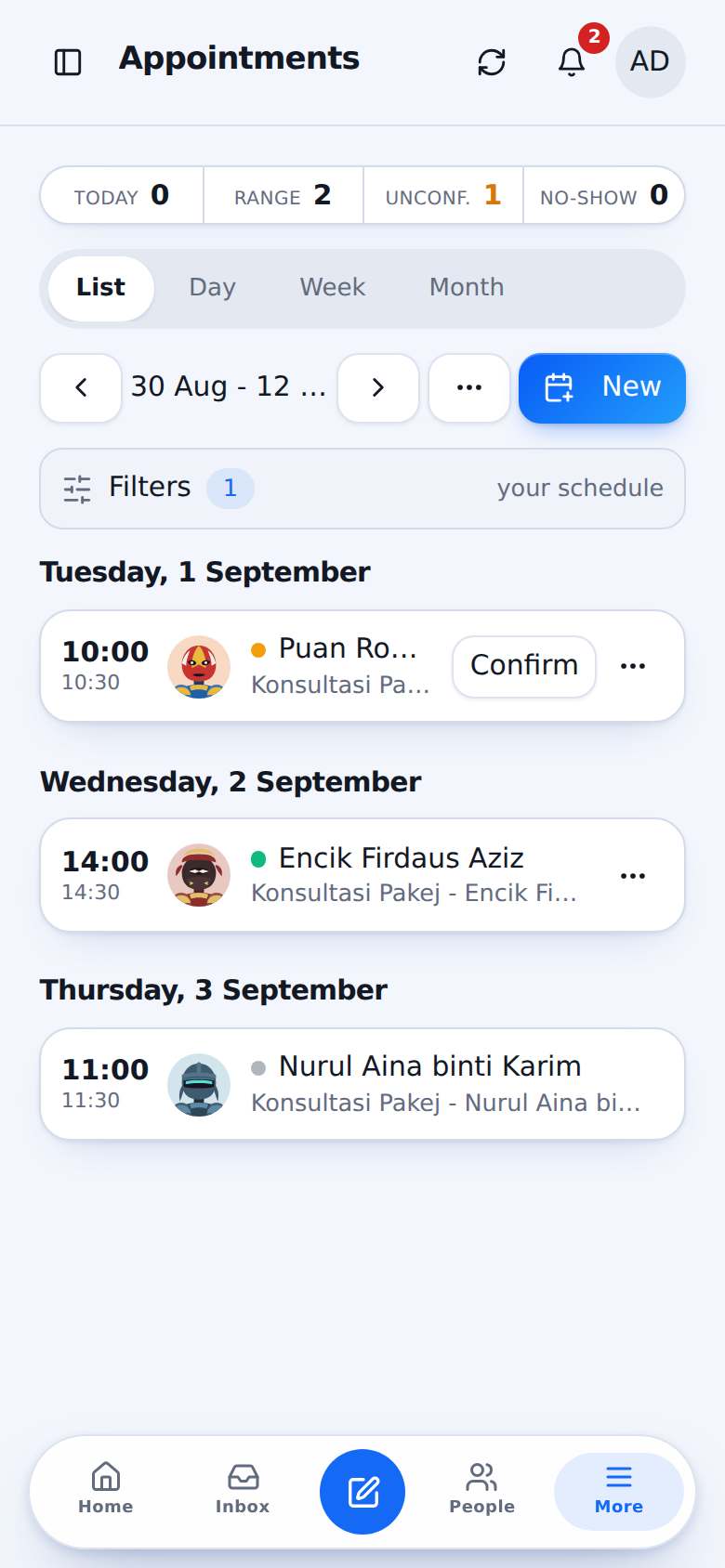
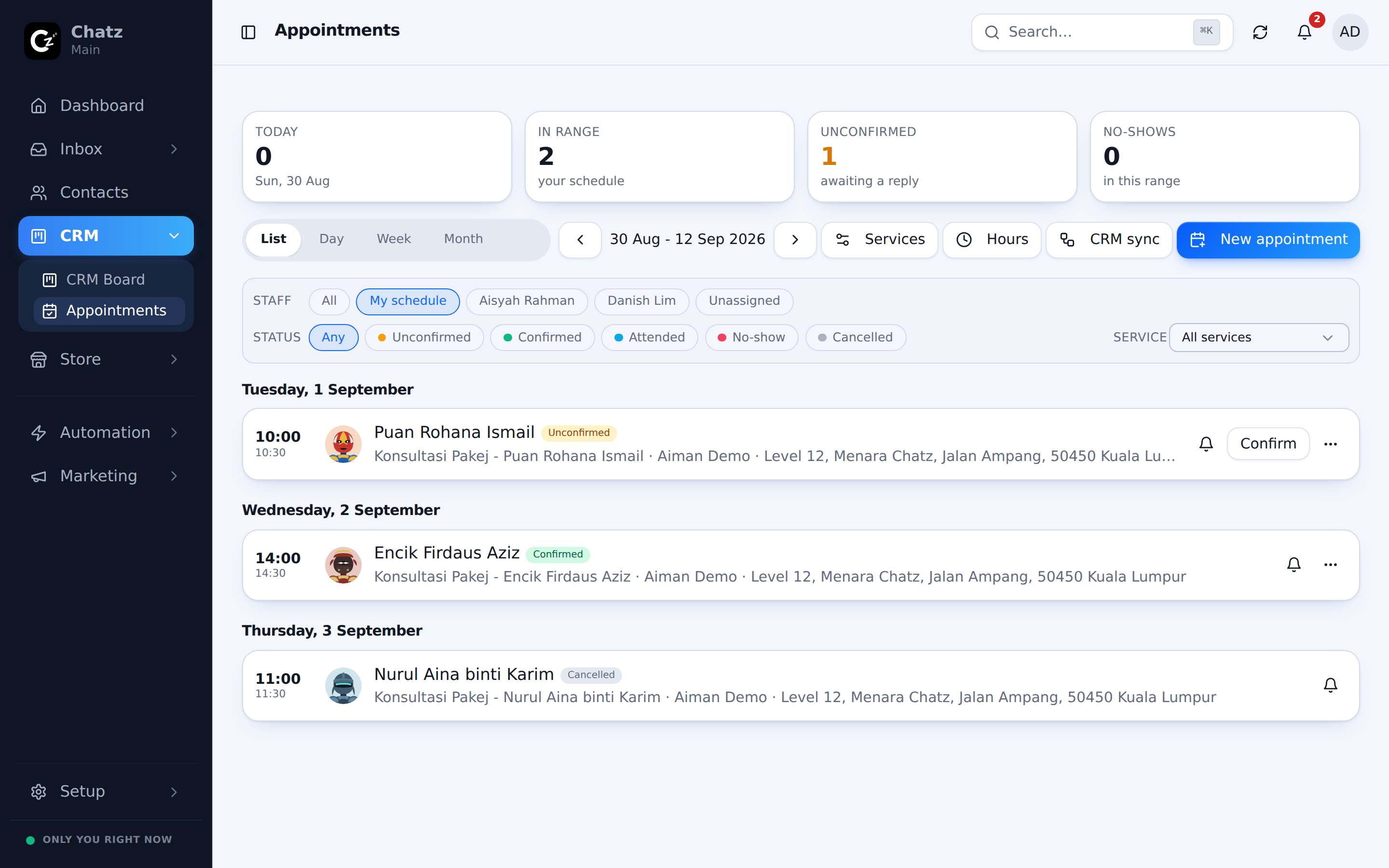
Peringatan di WhatsApp dan email, view untuk setiap hari
Peringatan automatik dihantar ke kedua-dua channel sebelum setiap tempahan, dan jadual boleh dibaca sebagai senarai atau kalendar hari, minggu atau bulan. Tempahan ada fail kalendar standard yang boleh masuk Google Calendar.
- Peringatan automatik ke WhatsApp dan email
- View senarai, hari, minggu dan bulan
- Fail kalendar serasi dengan Google Calendar, Outlook dan Apple Calendar
Senjata-senjata lain
Tengok dalam inbox anda sendiri
Mula free dan sambung channel pertama anda dalam beberapa minit. Nak butiran penuh? Docs terangkan feature ni langkah demi langkah.